# Grafloria · GPT-5.6 Luna
# JavaScript quick start
Mount a working flow diagram in plain JavaScript, connect two nodes, and keep the live instance for later operations.
Grafloria uses one headless model behind its framework bindings. In plain JavaScript, call the [`render`](https://bench-grafloria-56.atloria.app/p/bench-grafloria-56-62cg8vR5rF/developer/grafloria-element-core#render) function with diagram data and a sized host element, then use the returned [`DiagramInstance`](https://bench-grafloria-56.atloria.app/p/bench-grafloria-56-62cg8vR5rF/developer/grafloria-renderer-instance-diagraminstance#diagraminstance) for the live canvas.
## Prerequisites
- A browser with ES modules and a JavaScript project with npm.
- `@grafloria/element` 0.4.83, `@grafloria/renderer` 0.4.19, and `@grafloria/engine` 0.3.18.
## 1. Install the packages
```bash
npm install @grafloria/element @grafloria/renderer @grafloria/engine
```
The element package supplies the plain-JavaScript `render()` entry point. The renderer and engine packages satisfy its peer dependencies.
## 2. Give the diagram a real host
Create a host with explicit width and height. The renderer needs the host's resolved height to paint the canvas.
```html title="index.html"
Grafloria flow
```
## 3. Mount and connect the nodes
Import `render()`, describe two [`NodeSpec`](https://bench-grafloria-56.atloria.app/p/bench-grafloria-56-62cg8vR5rF/developer/grafloria-renderer-instance-nodespec#nodespec) values with positions and sizes, and connect them with an [`EdgeSpec`](https://bench-grafloria-56.atloria.app/p/bench-grafloria-56-62cg8vR5rF/developer/grafloria-renderer-instance-edgespec#edgespec). The `source` and `target` values refer to node ids.
```js title="src/main.js"
import { render } from '@grafloria/element';
const canvas = document.getElementById('canvas');
if (!(canvas instanceof HTMLElement)) {
throw new Error('The #canvas host is missing.');
}
canvas.style.width = '800px';
canvas.style.height = '400px';
const instance = render(
{
nodes: [
{
id: 'a',
position: { x: 60, y: 80 },
size: { width: 180, height: 80 },
label: 'Ingest',
},
{
id: 'b',
position: { x: 380, y: 80 },
size: { width: 180, height: 80 },
label: 'Publish',
},
],
edges: [{ id: 'e1', source: 'a', target: 'b' }],
},
canvas,
);
instance.fitView();
```
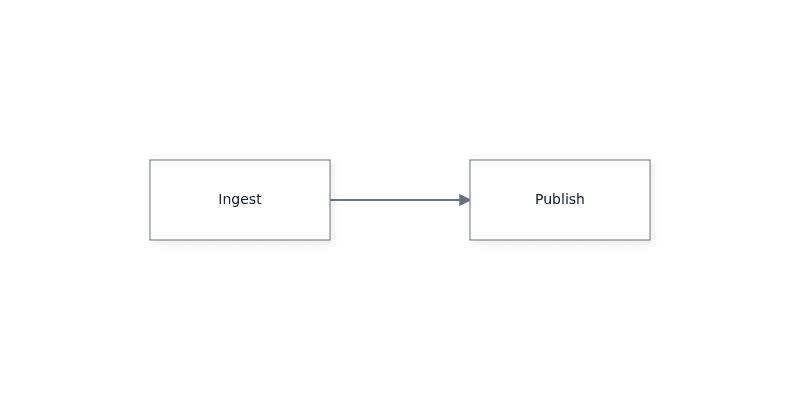
The call mounts the editor into `canvas` and returns the live `DiagramInstance`. The browser shows two labelled boxes joined by an edge; you can drag nodes, draw connections, pan, and zoom. `fitView()` frames all content in the host.
The `spec` argument is data, not Mermaid text. Use the text import/export APIs on the instance when you need Mermaid-compatible text; see [Edit Mermaid diagrams](https://bench-grafloria-56.atloria.app/p/bench-grafloria-56-62cg8vR5rF/developer/edit-mermaid-diagrams).
## Or use the web component
The [`GrafloriaFlowElement`](https://bench-grafloria-56.atloria.app/p/bench-grafloria-56-62cg8vR5rF/developer/grafloria-element-core#grafloriaflowelement) custom element provides the same diagram surface without calling `render()` directly. Give it a resolved height, assign its node and edge properties, and read its `diagram` property after it connects.
```html title="element.html"
Grafloria element
```
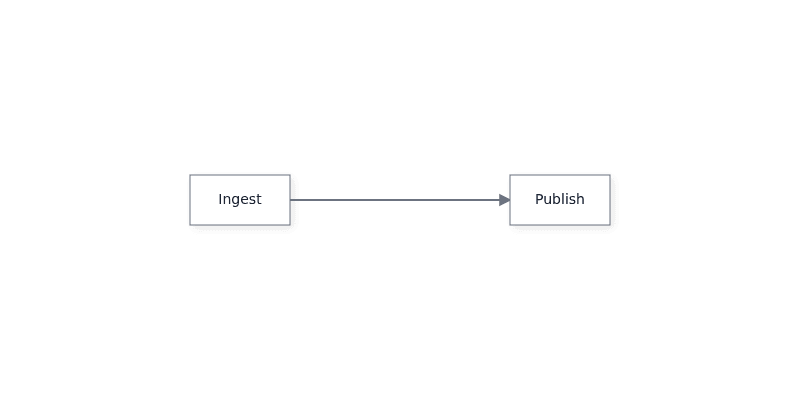
The browser shows the same two connected boxes. `flow.diagram` is the live `DiagramInstance` once the element is connected.
## 4. Use the live instance
Keep `instance` in the scope that owns the diagram. For example, replace the current connections through the instance after the canvas has mounted:
```js
import { render } from '@grafloria/element';
const canvas = document.getElementById('canvas');
if (!(canvas instanceof HTMLElement)) {
throw new Error('The #canvas host is missing.');
}
canvas.style.width = '800px';
canvas.style.height = '400px';
const instance = render(
{
nodes: [
{ id: 'a', position: { x: 60, y: 80 }, label: 'Ingest' },
{ id: 'b', position: { x: 380, y: 80 }, label: 'Publish' },
],
edges: [{ id: 'e1', source: 'a', target: 'b' }],
},
canvas,
);
instance.setEdges([
{ id: 'e1', source: 'a', target: 'b', label: 'published' },
]);
instance.renderNow();
```
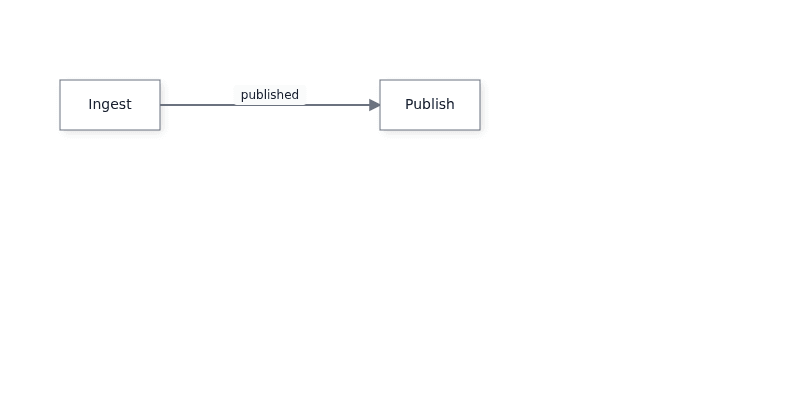
`setEdges()` reconciles the live edge data, and `renderNow()` repaints synchronously. The visible connection now carries the `published` label.
## Pitfall: reconciling the same ids
`setNodes()` and `loadText()` reconcile by id. Persistent ids retain live objects and stale state. When you reapply externally edited data with the same ids, clear the current edges and nodes first, then load the replacement data:
```js
import { render } from '@grafloria/element';
const canvas = document.getElementById('canvas');
if (!(canvas instanceof HTMLElement)) {
throw new Error('The #canvas host is missing.');
}
canvas.style.width = '800px';
canvas.style.height = '400px';
const instance = render(
{
nodes: [
{
id: 'a',
position: { x: 60, y: 80 },
size: { width: 180, height: 80 },
label: 'Ingest',
},
],
edges: [],
},
canvas,
);
instance.setEdges([]);
instance.setNodes([]);
instance.setNodes([
{
id: 'a',
position: { x: 60, y: 80 },
size: { width: 180, height: 80 },
label: 'Revised ingest',
},
]);
instance.setEdges([]);
instance.renderNow();
```
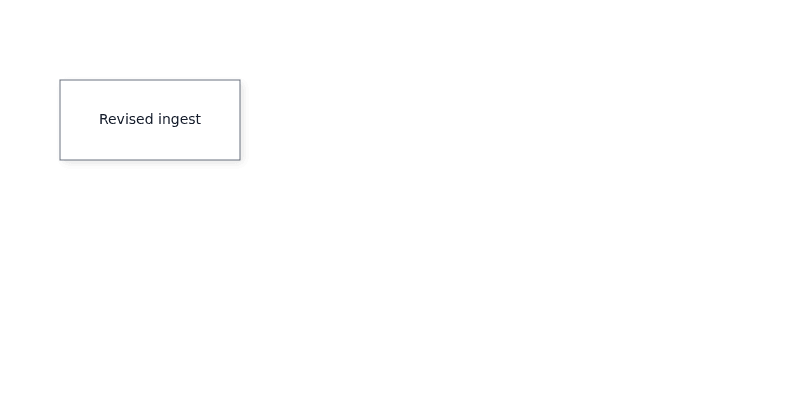
For the host sizing rule and Mermaid round trips, continue to [Edit Mermaid diagrams](https://bench-grafloria-56.atloria.app/p/bench-grafloria-56-62cg8vR5rF/developer/edit-mermaid-diagrams). For the instance lifecycle and deeper model access, read [Instance and lifecycle](https://bench-grafloria-56.atloria.app/p/bench-grafloria-56-62cg8vR5rF/developer/instance-and-lifecycle).
## What you have at the end
You have a 800 × 400 host containing a connected, interactive diagram. `instance` is the live handle returned by `render()`, so later code can update nodes or edges, subscribe to events, fit the view, render immediately, and dispose the diagram during application teardown.
## Where next
- [How Grafloria works](https://bench-grafloria-56.atloria.app/p/bench-grafloria-56-62cg8vR5rF/developer/how-grafloria-works) explains the model, engine, document, ports, and shared history.
- [Events and interaction](https://bench-grafloria-56.atloria.app/p/bench-grafloria-56-62cg8vR5rF/developer/events-and-interaction) shows how to react to user edits.
- [Theme diagrams](https://bench-grafloria-56.atloria.app/p/bench-grafloria-56-62cg8vR5rF/developer/theme-diagrams) covers theme changes.
- [React quick start](https://bench-grafloria-56.atloria.app/p/bench-grafloria-56-62cg8vR5rF/developer/react-quick-start), [Vue quick start](https://bench-grafloria-56.atloria.app/p/bench-grafloria-56-62cg8vR5rF/developer/vue-quick-start), [Angular quick start](https://bench-grafloria-56.atloria.app/p/bench-grafloria-56-62cg8vR5rF/developer/angular-quick-start), and [Qwik quick start](https://bench-grafloria-56.atloria.app/p/bench-grafloria-56-62cg8vR5rF/developer/qwik-quick-start) use the same model through framework bindings.
- [Open the JavaScript starter in StackBlitz](https://stackblitz.com/github/grafloria/grafloria/tree/main/starters/javascript?file=src/main.js) to run this setup in a browser.
# React quick start
Mount a typed Grafloria flow in React, keep its nodes and edges in React state, and retain the live diagram instance for imperative actions.
Grafloria has one headless model behind its framework bindings: React renders the diagram, while the instance owns the live graph and engine behavior.
## Prerequisites
- React 17, 18, or 19
- A React project with TypeScript and a browser build
- Node.js 20.19 or later for the package toolchain
## 1. Install the packages
Install the React binding and its renderer and engine dependencies:
```bash
npm install @grafloria/react @grafloria/element @grafloria/renderer @grafloria/engine react react-dom
```
The starter uses the published `@grafloria/react` package and does not require a renderer stylesheet import.
## 2. Mount a flow
Use [`GrafloriaFlow`](https://bench-grafloria-56.atloria.app/p/bench-grafloria-56-62cg8vR5rF/developer/grafloria-react#grafloriaflow) as an element. Type the node data with [`NodeSpec`](https://bench-grafloria-56.atloria.app/p/bench-grafloria-56-62cg8vR5rF/developer/grafloria-renderer-instance-nodespec#nodespec), give the nodes positions and sizes, and connect them with edge specs.
```tsx title="App.tsx"
import { GrafloriaFlow, type NodeSpec } from '@grafloria/react';
const nodes: NodeSpec[] = [
{
id: 'a',
position: { x: 60, y: 80 },
size: { width: 180, height: 80 },
data: { label: 'Ingest' },
},
{
id: 'b',
position: { x: 380, y: 80 },
size: { width: 180, height: 80 },
data: { label: 'Publish' },
},
];
const edges = [{ id: 'e1', source: 'a', target: 'b' }];
export default function App() {
return (
);
}
```
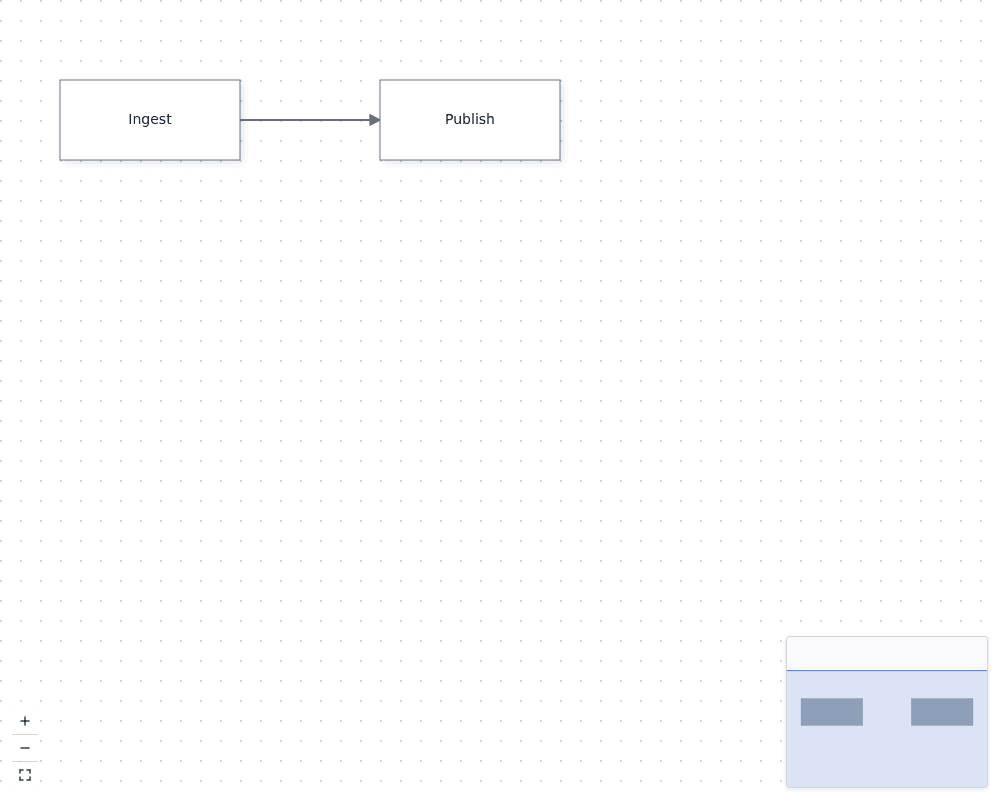
This renders two boxes joined by an edge. The boxes can be dragged, the canvas can be panned and zoomed, and `plugins` adds the minimap, zoom and fit controls, and background. `defaultNodes` and `defaultEdges` seed an uncontrolled flow; the mounted instance owns those values after initialization. Give the host a resolved height; see [Edit Mermaid diagrams](https://bench-grafloria-56.atloria.app/p/bench-grafloria-56-62cg8vR5rF/developer/edit-mermaid-diagrams) for the blank-canvas pitfall.
## 3. Keep nodes and edges in React state
Choose controlled state when another part of your application needs the graph. [`useNodesState`](https://bench-grafloria-56.atloria.app/p/bench-grafloria-56-62cg8vR5rF/developer/grafloria-react#usenodesstate) and `useEdgesState` each return the current specs, a setter, and the handler that folds live model changes back into React state. Pass the third value to the matching `onNodesChange` or `onEdgesChange` prop.
```tsx title="Editor.tsx"
import { useRef } from 'react';
import {
GrafloriaFlow,
useEdgesState,
useNodesState,
type NodeSpec,
} from '@grafloria/react';
import type { DiagramInstance } from '@grafloria/react';
const initialNodes: NodeSpec[] = [
{
id: 'a',
position: { x: 60, y: 80 },
size: { width: 180, height: 80 },
data: { label: 'Ingest' },
},
{
id: 'b',
position: { x: 380, y: 80 },
size: { width: 180, height: 80 },
data: { label: 'Publish' },
},
];
const initialEdges = [{ id: 'e1', source: 'a', target: 'b' }];
export default function Editor() {
const [nodes, setNodes, onNodesChange] = useNodesState(initialNodes);
const [edges, setEdges, onEdgesChange] = useEdgesState(initialEdges);
const instanceRef = useRef(null);
return (
{
instanceRef.current = instance;
}}
plugins
/>
);
}
```
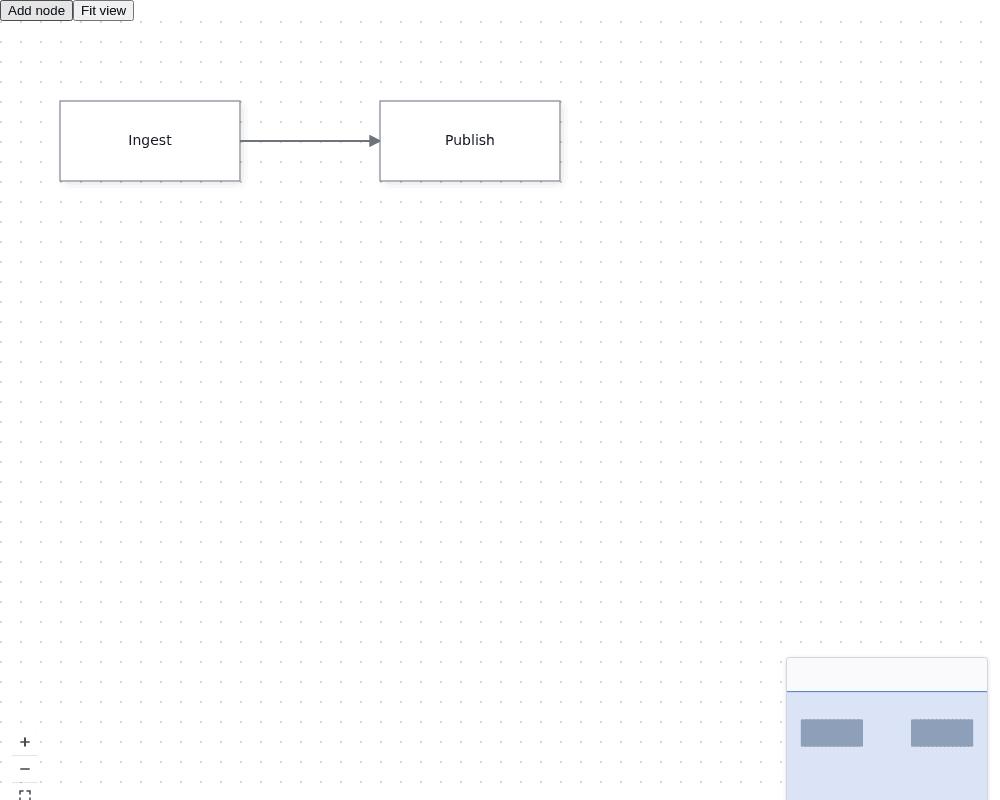
Dragging a node updates the live model and then updates `nodes` through `onNodesChange`; edge edits follow the same path through `onEdgesChange`. Clicking **Add node** produces a third box because `setNodes` changes React's source of truth. Keep the arrays in state or memoize them rather than creating a fresh array for every unrelated render.
Do not pass `nodes` or `edges` without their matching change handler: the next controlled render can replace a user edit with stale React state. Use `defaultNodes` and `defaultEdges` instead when the canvas alone owns the graph.
## 4. Use the live instance
`onInit` receives the mounted [`DiagramInstance`](https://bench-grafloria-56.atloria.app/p/bench-grafloria-56-62cg8vR5rF/developer/grafloria-renderer-instance-diagraminstance#diagraminstance). Store it in a ref when a control lives beside the flow. `fitView()` frames the content; other instance methods let you read the model or reach the engine without replacing the rendered component.
The editor above calls `instanceRef.current?.fitView()` from **Fit view**, so the visible boxes are reframed without changing the node or edge state. The ref is nullable because the instance does not exist until the flow mounts.
## What you have at the end
You have a React flow with typed node specs, a connected edge, controlled node and edge updates, and a ref to the live instance. Try the complete tutorial in the [React in 10 minutes live demo](https://grafloria.com/learn/react/).
Next, see [React hooks and components](https://bench-grafloria-56.atloria.app/p/bench-grafloria-56-62cg8vR5rF/developer/react-hooks-and-components) for selection, viewport subscriptions, and custom nodes, or [Instance and lifecycle](https://bench-grafloria-56.atloria.app/p/bench-grafloria-56-62cg8vR5rF/developer/instance-and-lifecycle) for instance ownership and cleanup.
# Vue quick start
Mount a typed Grafloria flow in Vue 3, keep its nodes and edges in Vue state, and call the live diagram instance from your component.
Grafloria uses one headless model behind every framework binding: the Vue component converts your specs into the diagram model, while the live instance gives you the rendered diagram and its operations.
## Prerequisites
- Vue 3.4 or later
- A Vite-based Vue application with TypeScript support
- Node.js 20.19 or later when your project loads the packages through Node
## Install the packages
```bash
npm install @grafloria/vue @grafloria/element @grafloria/renderer @grafloria/engine
```
## 1. Define typed graph data
Import [`NodeSpec`](https://bench-grafloria-56.atloria.app/p/bench-grafloria-56-62cg8vR5rF/developer/grafloria-renderer-instance-nodespec#nodespec) and [`EdgeSpec`](https://bench-grafloria-56.atloria.app/p/bench-grafloria-56-62cg8vR5rF/developer/grafloria-renderer-instance-edgespec#edgespec), then keep the graph in refs. The node IDs in the edge endpoints must match the node IDs.
```vue title="App.vue"
```
The mounted flow draws two labelled boxes joined by a link. Dragging a node or adding and removing graph items updates the bound refs through `v-model:nodes` and `v-model:edges`. The wrapper has a resolved height, so the canvas has room to render.
For initial data that the canvas owns after mount, use `:default-nodes="nodes"` and `:default-edges="edges"` instead. Use the controlled `v-model` form when the rest of your application needs the graph data.
## 2. Add the built-in canvas controls
Set the `plugins` prop to `true` on the same mounted component:
```vue
```
The canvas keeps the graph and adds the shipped minimap, zoom controls, fit control, and dotted background. No stylesheet import is required.
## 3. Capture the live instance
The `init` event supplies a [`DiagramInstance`](https://bench-grafloria-56.atloria.app/p/bench-grafloria-56-62cg8vR5rF/developer/grafloria-renderer-instance-diagraminstance#diagraminstance) after the flow mounts. Keep that reference in the component, then call instance methods from your own UI.
```vue title="App.vue"
```
The button calls `fitView()` on the mounted diagram and frames both nodes in the canvas. Before `init` fires, `instance` is `null`, so the optional call does nothing; after initialization it operates on the live diagram rather than on a separate model.
## Use sibling UI and diagram specs
Use [`GrafloriaProvider`](https://bench-grafloria-56.atloria.app/p/bench-grafloria-56-62cg8vR5rF/developer/grafloria-vue#grafloriaprovider) when a toolbar or inspector is a sibling of the flow. The composables read the same mounted instance: [`useGrafloria`](https://bench-grafloria-56.atloria.app/p/bench-grafloria-56-62cg8vR5rF/developer/grafloria-vue#usegrafloria) returns it, [`useSelection`](https://bench-grafloria-56.atloria.app/p/bench-grafloria-56-62cg8vR5rF/developer/grafloria-vue#useselection) returns reactive selection state, [`useViewport`](https://bench-grafloria-56.atloria.app/p/bench-grafloria-56-62cg8vR5rF/developer/grafloria-vue#useviewport) returns the camera, and [`useOnSelectionChange`](https://bench-grafloria-56.atloria.app/p/bench-grafloria-56-62cg8vR5rF/developer/grafloria-vue#useonselectionchange) registers a selection callback. [`GrafloriaDiagram`](https://bench-grafloria-56.atloria.app/p/bench-grafloria-56-62cg8vR5rF/developer/grafloria-vue#grafloriadiagram) is the kit-spec host; [`GrafloriaCommentPanel`](https://bench-grafloria-56.atloria.app/p/bench-grafloria-56-62cg8vR5rF/developer/grafloria-vue#grafloriacommentpanel) displays the comment store when comments are enabled.
```vue title="App.vue"
```
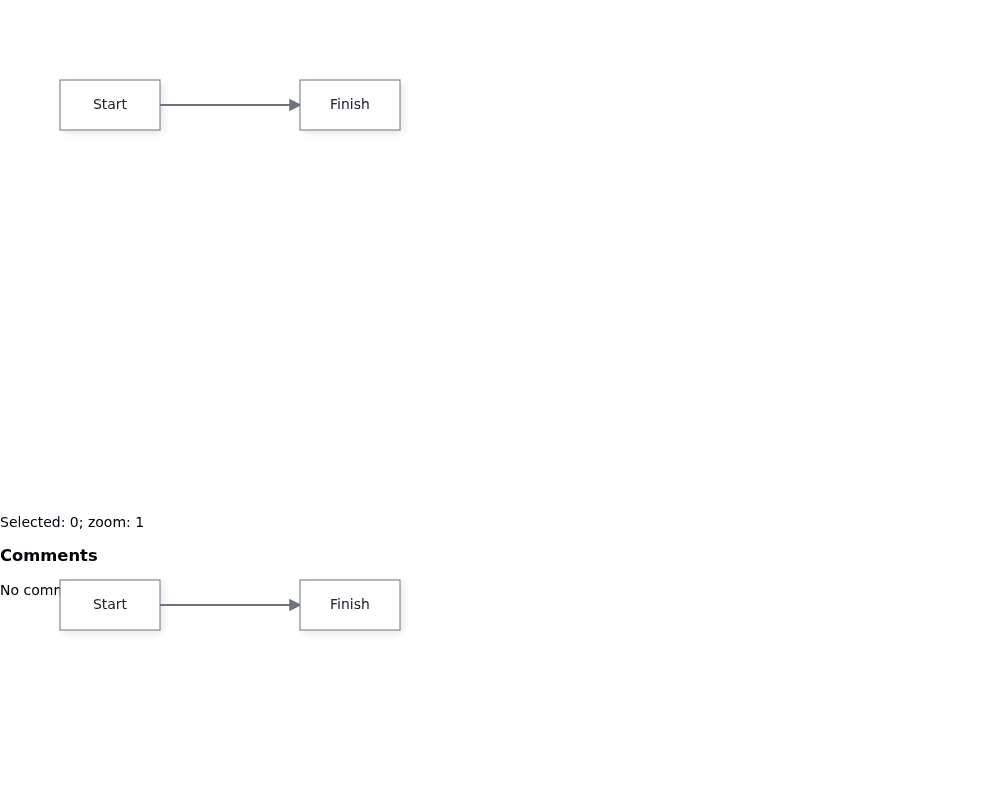
The provider makes the flow instance available to sibling tools; the selection count and zoom value update as the user interacts with the flow. The comment panel receives the flow's store, while the second canvas renders the separate diagram spec.
## What you have at the end
Your Vue component now renders a typed, editable two-node flow, keeps graph changes in Vue refs, and holds the live instance for operations such as `fitView()`, `renderNow()`, `getModel()`, and `getEngine()`.
Try the [Vue 3 in 10 minutes tutorial](https://grafloria.com/learn/vue/) and its [live Vue demos](https://grafloria.com/demos-vue/). Next, read [How Grafloria works](https://bench-grafloria-56.atloria.app/p/bench-grafloria-56-62cg8vR5rF/developer/how-grafloria-works) for the model and instance layers, or [Customize nodes](https://bench-grafloria-56.atloria.app/p/bench-grafloria-56-62cg8vR5rF/developer/customize-nodes) for Vue slot-defined nodes.
# Angular quick start
Mount a typed Angular canvas, bind nodes and edges, and use the canvas and engine APIs from a standalone component.
Grafloria has one headless model behind its framework bindings: the Angular canvas converts your node and edge specs into that model, while the engine provides behavior such as zoom, layout, and history.
## Prerequisites
Use Angular 18.1 through 22. The package is standalone and uses signal-based inputs and outputs, so you do not need an `NgModule` or `zone.js` provider for the canvas.
## Install the packages
```bash
npm install @grafloria/angular @grafloria/renderer @grafloria/engine @grafloria/canvas-ng
```
## 1. Mount a typed canvas
Import [`DiagramCanvasComponent`](https://bench-grafloria-56.atloria.app/p/bench-grafloria-56-62cg8vR5rF/developer/grafloria-angular-components-diagramcanvascomponent#diagramcanvascomponent) and the renderer's `NodeSpec` and `EdgeSpec` types. Give the canvas a real height; it fills its container, and a container without a height has no drawable area.
```ts title="src/app/app.component.ts"
import { Component, signal, viewChild } from '@angular/core';
import {
DiagramCanvasComponent,
GrafloriaNodeDefDirective,
} from '@grafloria/angular';
import type { NodeSpec, EdgeSpec } from '@grafloria/renderer';
import type { DiagramEngine, SerializedDiagram } from '@grafloria/engine';
@Component({
selector: 'app-root',
imports: [
DiagramCanvasComponent,
GrafloriaNodeDefDirective,
],
template: `
{{ data['title'] }}{{ data['owner'] }}
`,
styles: [`
.toolbar { display: flex; gap: 8px; margin-bottom: 8px; }
.job-card {
display: flex;
flex-direction: column;
gap: 4px;
height: 100%;
box-sizing: border-box;
padding: 12px;
border: 1px solid #94a3b8;
border-radius: 8px;
background: white;
}
.job-card span { color: #475569; font-size: 12px; }
`],
})
export class AppComponent {
readonly canvas = viewChild.required(DiagramCanvasComponent);
readonly nodes = signal([
{
id: 'extract',
type: 'job',
position: { x: 60, y: 80 },
size: { width: 180, height: 80 },
data: { title: 'Extract', owner: 'Data team' },
},
{
id: 'publish',
type: 'job',
position: { x: 340, y: 80 },
size: { width: 180, height: 80 },
data: { title: 'Publish', owner: 'Platform team' },
},
]);
readonly edges = signal([
{ id: 'extract-publish', source: 'extract', target: 'publish' },
]);
readonly zoom = signal(1);
private saved: SerializedDiagram | null = null;
undo(): void {
void this.canvas().undo();
}
redo(): void {
void this.canvas().redo();
}
fit(): void {
this.canvas().fitToContent(40);
}
zoomIn(): void {
this.zoom.update((value) => value * 1.25);
}
rerunLayout(): void {
void this.canvas().applyLayout();
}
save(): void {
this.saved = this.canvas().snapshot();
}
restore(): void {
if (this.saved) {
this.canvas().loadSnapshot(this.saved);
}
}
onLayoutDone(): void {
const engine = this.canvas().activeEngine();
if (engine) {
engine.getDiagram();
}
}
}
```
The mounted canvas renders two job cards and an edge. Dragging or connecting updates the two-way `nodes` and `edges` signals. `[plugins]="true"` adds the minimap, zoom and fit controls, and background grid. The `job` template renders matching nodes in Angular's HTML layer; `let-data="data"` is each node's payload.
## 2. Use the canvas and engine
Use the canvas methods for common actions. `undo()` and `redo()` return promises, `fitToContent()` frames the nodes, and `snapshot()` plus `loadSnapshot()` round-trip the current document. The `activeEngine()` signal gives you the live [`DiagramEngine`](https://bench-grafloria-56.atloria.app/p/bench-grafloria-56-62cg8vR5rF/developer/grafloria-engine-engine#diagramengine); use it after the view exists, as in a button handler or another post-mount callback.
The sample's **Undo**, **Redo**, **Fit**, **Zoom in**, **Rerun layout**, **Save snapshot**, and **Restore snapshot** buttons operate on the mounted diagram. `onLayoutDone()` runs after the declarative `dagre` layout completes and obtains the engine's current diagram.
The Angular package also ships these companion components. This complete standalone component shows their selectors and the minimum bindings they accept; the toolbars are hidden until you provide a live selection.
```ts title="src/app/angular-components-example.component.ts"
import { CommonModule } from '@angular/common';
import { Component, NgModule } from '@angular/core';
import {
DiagramCanvasComponent,
GrafloriaCommentPanelComponent,
GrafloriaDiagramComponent,
InteractionConfigPanelComponent,
LinkToolbarComponent,
NodeToolbarComponent,
PropertyPanelComponent,
} from '@grafloria/angular';
import { CanvasNgCanvasNgComponent } from '@grafloria/canvas-ng';
import { DiagramEngine } from '@grafloria/engine';
import type { NodeSpec } from '@grafloria/renderer';
@NgModule({
imports: [CommonModule, CanvasNgCanvasNgComponent],
exports: [CanvasNgCanvasNgComponent],
})
export class CanvasNgModule {}
@Component({
selector: 'app-angular-components-example',
imports: [
CanvasNgModule,
DiagramCanvasComponent,
GrafloriaCommentPanelComponent,
GrafloriaDiagramComponent,
InteractionConfigPanelComponent,
LinkToolbarComponent,
NodeToolbarComponent,
PropertyPanelComponent,
],
template: `
@if (canvas.getCommentStore(); as store) {
}
`,
})
export class AngularComponentsExample {
readonly diagramText = '{"nodes":[{"id":"a","label":"Start"},{"id":"b","label":"Finish"}],"edges":[{"source":"a","target":"b"}]}';
readonly componentNodes: NodeSpec[] = [
{ id: 'component-node', position: { x: 40, y: 40 }, label: 'Comments' },
];
readonly panelEngine = new DiagramEngine();
readonly selectedNodes = [];
}
```
The first canvas enables the comment store, and the comment panel displays that store when it exists. The generic diagram host renders the Mermaid-compatible text. The interaction panel receives an engine, the link and node toolbars provide their action layers when made visible and given targets, the property panel starts with no selected nodes, and the canvas-ng component mounts its lower-level host.
## 3. Add layout when you need it
Bind `[layout]` to a registered layout name or request. The binding runs when its value changes, not when node data changes, so a user's drag is not immediately replaced. Call `applyLayout()` when you want to rerun the bound layout from your own code, and listen to `(layoutDone)` for completion.
```html
```
## What you have at the end
You have a standalone Angular component with typed graph data, template-defined nodes, two-way model bindings, built-in canvas tools, undo and redo, snapshot persistence, engine access, and declarative layout.
For the full runnable tutorial and its live demo, open [Angular in 10 minutes](https://grafloria.com/learn/angular/). Next, read [How Grafloria works](https://bench-grafloria-56.atloria.app/p/bench-grafloria-56-62cg8vR5rF/developer/how-grafloria-works), then [Customize nodes](https://bench-grafloria-56.atloria.app/p/bench-grafloria-56-62cg8vR5rF/developer/customize-nodes) or [Apply auto-layout](https://bench-grafloria-56.atloria.app/p/bench-grafloria-56-62cg8vR5rF/developer/apply-auto-layout).
# Qwik quick start
Use the Qwik binding and continue to the working diagram, hook, dashboard, and server-rendering surfaces.
The first idea is that one headless model drives every framework binding: Qwik converts your node and edge specs into the same diagram model used by the other Grafloria bindings.
## Prerequisites
Use Qwik 1.x with Node.js and a strict TypeScript project. Install the Qwik binding and its peer packages:
```bash
npm install @grafloria/qwik @grafloria/engine @grafloria/renderer @builder.io/qwik @grafloria/element
```
The binding targets `@builder.io/qwik` 1.5 or later. The package versions used by this guide are `@grafloria/qwik` 0.10.6, `@grafloria/engine` 0.3.18, and `@grafloria/renderer` 0.4.19.
## 1. Mount the Qwik surfaces
For the shared provider-and-hook pattern, see the [Vue quick start](https://bench-grafloria-56.atloria.app/p/bench-grafloria-56-62cg8vR5rF/developer/vue-quick-start#use-sibling-ui-and-diagram-specs); this Qwik version uses QRL event props and Qwik signals, so `useOnSelectionChange$` takes a module-level QRL and the values from `useGrafloria`, `useSelection`, and `useViewport` are read through `.value`.
```tsx title="src/routes/index.tsx"
import { component$, $, noSerialize, useSignal, type NoSerialize } from '@builder.io/qwik';
import type { CommentStore } from '@grafloria/engine';
import {
GrafloriaCommentPanel,
GrafloriaDashboard,
GrafloriaDiagram,
GrafloriaFlow,
GrafloriaProvider,
useGrafloria,
useOnSelectionChange$,
useSelection,
useViewport,
type DiagramInstance,
type NodeSpec,
type SelectionChange,
} from '@grafloria/qwik';
const nodes: NodeSpec[] = [
{ id: 'review', position: { x: 60, y: 60 }, size: { width: 180, height: 80 }, label: 'Review' },
{ id: 'approve', position: { x: 320, y: 60 }, size: { width: 180, height: 80 }, label: 'Approve' },
];
const logSelection = $((change: SelectionChange) => {
console.log(`Selected ${change.nodes.length} node(s)`);
});
const Toolbar = component$(() => {
const instance = useGrafloria();
const selection = useSelection();
const viewport = useViewport();
useOnSelectionChange$(logSelection);
return (
);
});
const FlowWithComments = component$(() => {
const store = useSignal>();
return (
<>
{
const commentStore = instance.getCommentStore();
if (commentStore) store.value = noSerialize(commentStore);
})}
style={{ height: '320px' }}
/>
{store.value && }
);
});
export default component$(() => (
));
```
The mounted page gives you a flow, a comment panel after the flow creates its store, a generic text diagram, and a KPI dashboard. The flow's `onInit$` callback receives the live [`DiagramInstance`](https://bench-grafloria-56.atloria.app/p/bench-grafloria-56-62cg8vR5rF/developer/grafloria-renderer-instance-diagraminstance#diagraminstance). The toolbar displays the current camera and selection and fits the flow when you click its button. Keep the canvas hosts at a real height; a host without resolved height has no pixels to draw into.
## 2. Follow the working surfaces
Start with the flow and toolbar to verify the instance and reactive state. Then use the generic diagram for text or kit specifications, the comment panel for a live comment store, and the dashboard for widget views. Keep live stores and instances out of serializable Qwik state; the sample wraps the comment store with `noSerialize()` before passing it to the panel.
For a live, clickable version, open the [Grafloria Qwik demos](https://grafloria.com/demos-qwik/). The `toolbar-and-hooks` demo exercises the provider and hooks; `ssr-resumable` shows the server-rendered diagram before client code runs.
## Next steps
- [How Grafloria works](https://bench-grafloria-56.atloria.app/p/bench-grafloria-56-62cg8vR5rF/developer/how-grafloria-works) explains the model, engine, document, ports, and shared history.
- [Apply auto-layout](https://bench-grafloria-56.atloria.app/p/bench-grafloria-56-62cg8vR5rF/developer/apply-auto-layout) covers layout choices and results.
- [Build a dashboard](https://bench-grafloria-56.atloria.app/p/bench-grafloria-56-62cg8vR5rF/developer/build-a-dashboard) covers dashboard views and widgets.
- [Render on the server](https://bench-grafloria-56.atloria.app/p/bench-grafloria-56-62cg8vR5rF/developer/render-on-the-server) covers SSR markup and resume details.
# How Grafloria works
Grafloria separates diagram data from diagram behavior: a headless model stores the document, an engine applies behavior, and a framework binding mounts the result.
```mermaid
flowchart TB
S["Node and edge specs"] --> B["Framework binding"]
B --> I["DiagramInstance"]
I --> M["DiagramModel\ndata"]
I --> E["DiagramEngine\nbehavior"]
M --> R["Renderer\npixels and export"]
E --> R
E --> H["Command history"]
```
## One model, every binding
The engine is headless, so the same document model drives JavaScript, React, Vue, Angular, and Qwik. Each binding converts its component or element props into model objects; the renderer then turns those objects into the visible diagram. Learn the model and the instance once, then apply the same ideas through the binding for your framework.
The [React quick start](https://bench-grafloria-56.atloria.app/p/bench-grafloria-56-62cg8vR5rF/developer/react-quick-start) covers mounting the flow and choosing its state-ownership pattern; this page adds the path from binding props to model objects and rendered pixels. Give the canvas a resolved height so it has room to paint.
```tsx
import { GrafloriaFlow } from '@grafloria/react';
import { LIGHT_THEME } from '@grafloria/renderer';
import type { DiagramInstance, EdgeSpec, NodeSpec } from '@grafloria/renderer';
import type { ReactElement } from 'react';
const nodes: NodeSpec[] = [
{ id: 'extract', position: { x: 0, y: 0 }, label: 'Extract' },
{ id: 'transform', position: { x: 240, y: 0 }, label: 'Transform' },
];
const edges: EdgeSpec[] = [
{ id: 'extract-transform', source: 'extract', target: 'transform' },
];
export function PipelineDiagram(): ReactElement {
const onInit = (instance: DiagramInstance): void => {
instance.fitView(24);
};
return (
);
}
```
This mounts two labelled nodes and a link, then frames them in the canvas. The `onInit` callback receives the same instance that the other bindings expose through their ready or init mechanism. The Vue, Angular, Qwik, and JavaScript surfaces change how you mount and bind values; they still hand the same kinds of specs to the same model and renderer layers.
## The instance is the facade
[`DiagramInstance`](https://bench-grafloria-56.atloria.app/p/bench-grafloria-56-62cg8vR5rF/developer/grafloria-renderer-instance-diagraminstance#diagraminstance) is the first object to use after mounting. It covers the rendered surface: reconcile nodes, edges, and groups with `setNodes()`, `setEdges()`, and `setGroups()`; subscribe with `on()`; frame content with `fitView()`; repaint with `render()` or `renderNow()`; and export with `export()` or the synchronous SVG and PDF methods.
The instance exposes the two layers below it:
- [`DiagramModel`](https://bench-grafloria-56.atloria.app/p/bench-grafloria-56-62cg8vR5rF/developer/grafloria-engine-models-diagrammodel#diagrammodel) owns data: node, link, group, and stroke collections, plus document queries and serialization-related state.
- [`DiagramEngine`](https://bench-grafloria-56.atloria.app/p/bench-grafloria-56-62cg8vR5rF/developer/grafloria-engine-engine#diagramengine) owns behavior: interaction, validation, layout, routing, and command execution.
Use the instance for specs and pixels, the model for data queries, and the engine for behavior. For example, `instance.getModel()` returns the document model and `instance.getEngine()` returns the behavior engine. `setNodes()` and `setEdges()` reconcile by id: existing ids keep their live objects and listeners, new ids are created, and missing ids are removed. If externally edited data reuses ids and must replace every live object, clear the relevant collection before applying it.
`undo()` is not a renderer-instance method. Call `instance.getEngine().undo()`. Angular's canvas component mirrors the operation, but React and Vue reach it through the instance.
## The document is the API
The document contains nodes, links, groups, and viewport state. Specs are the input representation; live models are the objects the engine and renderer operate on. This separation lets a document round-trip through framework bindings, persistence, export, and collaboration without making the framework component the source of truth.
Mermaid-compatible text is a second, human-writable representation. `instance.exportText()` produces text with the lossless Grafloria sidecar by default, and `instance.loadText(text)` parses and reconciles it into the mounted canvas. [`importDiagramText`](https://bench-grafloria-56.atloria.app/p/bench-grafloria-56-62cg8vR5rF/developer/grafloria-engine-serialization#importdiagramtext) also parses diagram text when you need the engine's import result directly. Pure Mermaid text is a best-effort boundary; the sidecar preserves positions and styling that Mermaid alone cannot express.
Groups are part of the document rather than a property of a node or edge. A [`GroupModel`](https://bench-grafloria-56.atloria.app/p/bench-grafloria-56-62cg8vR5rF/developer/grafloria-engine-models-groupmodel#groupmodel) stores membership and the zone's geometry, so pass groups as well as nodes and edges when you need containment to survive a round trip.
## Ports make connections legal
Nodes receive deterministic default ports for ordinary flowcharts. When a diagram declares ports, [`NodeModel`](https://bench-grafloria-56.atloria.app/p/bench-grafloria-56-62cg8vR5rF/developer/grafloria-engine-models-nodemodel#nodemodel) exposes them through `getPorts()` and related queries, while each [`PortModel`](https://bench-grafloria-56.atloria.app/p/bench-grafloria-56-62cg8vR5rF/developer/grafloria-engine-models-portmodel#portmodel) carries connection intent.
A port can declare whether it accepts input, output, or both; its side and position; allowed data types; incoming and outgoing caps; whether it can start or end a link; and whether self-links or duplicate links are allowed. The engine combines that port configuration with connection anatomy and any registered validator. During a connection gesture it highlights valid targets and refuses connections that violate the resulting rules. `getAvailablePorts()` and `canConnectTo()` let code inspect the same constraints before presenting an action.
## One command history for user edits
User gestures become command objects on one shared history. Dragging, connecting, deleting, pasting, and grouping therefore use the same keyboard undo and redo behavior. The framework binding re-emits the changed models after history changes, so application state follows the engine's history rather than maintaining a second stack.
Keep the intent distinction clear:
- Build, load, import, or synchronize a document with direct model mutations such as `diagram.addNode(node)` and `diagram.addLink(link)`. Setup is not a user edit, so it does not enter history.
- Change a diagram on the user's behalf through the engine's command manager. [`CommandManager`](https://bench-grafloria-56.atloria.app/p/bench-grafloria-56-62cg8vR5rF/developer/grafloria-engine-commands-classes-a-r#commandmanager) executes commands asynchronously, and `undo()` and `redo()` operate on the same stack as gestures.
The command manager can batch several commands into one history entry and can refuse a command before it enters history. Use the engine's command path for toolbar actions and automated edits that the user must be able to undo.
## Choose the layer
Start with the framework component and its props. Capture the instance in the binding's init or ready callback when you need rendering, events, export, or reconciliation. Reach into the model for document queries, and into the engine for layout, validation, interaction configuration, or history. This keeps the application on the public facade until it needs a specific lower-layer capability.
Continue with [the model and documents](https://bench-grafloria-56.atloria.app/p/bench-grafloria-56-62cg8vR5rF/developer/model-and-documents), [the instance and lifecycle](https://bench-grafloria-56.atloria.app/p/bench-grafloria-56-62cg8vR5rF/developer/instance-and-lifecycle), [ports and connection rules](https://bench-grafloria-56.atloria.app/p/bench-grafloria-56-62cg8vR5rF/developer/ports-and-connection-rules), or [commands and shared history](https://bench-grafloria-56.atloria.app/p/bench-grafloria-56-62cg8vR5rF/developer/commands-and-shared-history).
# React hooks and components
React bindings subscribe to one headless diagram instance. Choose controlled hooks when React owns the graph, provider and subscription hooks when UI outside the canvas needs live state, and a higher-level component when you already have a render spec or dashboard data.
## How the parts fit together
The [React quick start](https://bench-grafloria-56.atloria.app/p/bench-grafloria-56-62cg8vR5rF/developer/react-quick-start) covers the basic `GrafloriaFlow` setup and controlled graph state. This page adds how the hooks attach to the mounted [`DiagramInstance`](https://bench-grafloria-56.atloria.app/p/bench-grafloria-56-62cg8vR5rF/developer/grafloria-renderer-instance-diagraminstance#diagraminstance) without creating a second diagram model.
```mermaid
flowchart TB
R["React state"] -->|nodes and edges| F["GrafloriaFlow"]
F --> I["DiagramInstance"]
I -->|nodes:change| N["useNodesState onNodesChange"]
I -->|selection:change| S["useSelection or useOnSelectionChange"]
I -->|viewport:change| V["useViewport"]
N --> R
```
`GrafloriaFlow` needs a parent with a real height. The example below produces two connected nodes, keeps their positions in React state after a drag, and shows the selected node and camera values in a sibling toolbar.
## Choose the component boundary
- Use `GrafloriaFlow` for a node-and-edge editor; see the [React quick start](https://bench-grafloria-56.atloria.app/p/bench-grafloria-56-62cg8vR5rF/developer/react-quick-start) for its initial and controlled data forms.
- Use [`GrafloriaDiagram`](https://bench-grafloria-56.atloria.app/p/bench-grafloria-56-62cg8vR5rF/developer/grafloria-react#grafloriadiagram) for a separately mounted diagram. The component exposes `spec`, optional `options`, and `onReady`; the mounted result is still a `DiagramInstance`.
- Use [`GrafloriaDashboard`](https://bench-grafloria-56.atloria.app/p/bench-grafloria-56-62cg8vR5rF/developer/grafloria-react#grafloriadashboard) for a widget board. Give it `views` for a multi-view board or `widgets` for the single-view shorthand, and use `onReady` for its typed handle.
- Use [`GrafloriaCommentPanel`](https://bench-grafloria-56.atloria.app/p/bench-grafloria-56-62cg8vR5rF/developer/grafloria-react#grafloriacommentpanel) beside a flow when comments are enabled. Pass the flow's `CommentStore` to `store`; the panel displays its threads and calls `onSelect` with the selected thread id.
Reach from a flow to its instance with `onInit` when the consumer is in the same component. When a toolbar, inspector, or minimap is a sibling, put both components inside [`GrafloriaProvider`](https://bench-grafloria-56.atloria.app/p/bench-grafloria-56-62cg8vR5rF/developer/grafloria-react#grafloriaprovider) and use [`useGrafloria`](https://bench-grafloria-56.atloria.app/p/bench-grafloria-56-62cg8vR5rF/developer/grafloria-react#usegrafloria).
## Keep the graph controlled
[`useNodesState`](https://bench-grafloria-56.atloria.app/p/bench-grafloria-56-62cg8vR5rF/developer/grafloria-react#usenodesstate) returns `[nodes, setNodes, onNodesChange]`. The first value is `NodeSpec[]`, the setter changes React-owned specs, and the third value accepts the live node models emitted by the flow. [`useEdgesState`](https://bench-grafloria-56.atloria.app/p/bench-grafloria-56-62cg8vR5rF/developer/grafloria-react#useedgesstate) has the corresponding edge tuple.
```tsx
import { useRef, useState } from 'react';
import {
GrafloriaFlow,
GrafloriaProvider,
useEdgesState,
useGrafloria,
useGrafloriaStore,
useNodesState,
useOnSelectionChange,
useSelection,
useViewport,
} from '@grafloria/react';
import type { DiagramInstance, EdgeSpec, NodeSpec } from '@grafloria/renderer';
const initialNodes: NodeSpec[] = [
{ id: 'draft', position: { x: 80, y: 120 }, size: { width: 150, height: 66 }, label: 'Draft' },
{ id: 'review', position: { x: 340, y: 120 }, size: { width: 150, height: 66 }, label: 'Review' },
];
const initialEdges: EdgeSpec[] = [
{ id: 'draft-review', source: 'draft', target: 'review', label: 'submit' },
];
function Toolbar() {
const grafloria = useGrafloria();
const store = useGrafloriaStore();
const { nodes } = useSelection();
const { zoom, x, y } = useViewport();
const [inspectedId, setInspectedId] = useState(null);
useOnSelectionChange(({ nodes: selectedNodes }) => {
setInspectedId(selectedNodes[0]?.id ?? null);
});
return (
);
}
```
The `onNodesChange` and `onEdgesChange` callbacks close the loop: a committed user edit enters the hook, becomes a new spec array, and reaches the controlled props. Omitting either callback leaves React with stale state, so the next render can put the model back at its old position. Keep the arrays in hook state rather than creating a fresh literal in every render.
## Reach state from nearby UI
The [Vue quick start](https://bench-grafloria-56.atloria.app/p/bench-grafloria-56-62cg8vR5rF/developer/vue-quick-start) explains the corresponding selection and viewport hook roles. In React, this page adds the placement rule: put these subscriptions in toolbar or inspector components that live inside the provider or flow subtree.
`useGrafloria` returns `null` until the flow mounts. The toolbar above therefore uses optional chaining. The hook works in any descendant of `GrafloriaProvider`; a flow also publishes its instance to its own store, so children passed through `GrafloriaFlow` do not need a provider. [`useGrafloriaStore`](https://bench-grafloria-56.atloria.app/p/bench-grafloria-56-62cg8vR5rF/developer/grafloria-react#usegrafloriastore) is the lower-level store access and is useful only when implementing a binding-level integration rather than ordinary application UI.
For a same-component consumer, `onInit` gives you the instance directly. Call instance methods such as `fitView()`, `renderNow()`, `setNodes()`, `setEdges()`, `export()`, and `dispose()` on the instance. Put `dispose()` in your application's unmount cleanup, not immediately after mounting the flow.
## Use the spec and board components
`GrafloriaDiagram` mounts the serialized JSON document below into a sized parent and invokes `onReady` with the instance:
```tsx
import { GrafloriaDiagram } from '@grafloria/react';
import type { DiagramInstance, EdgeSpec, NodeSpec } from '@grafloria/renderer';
const diagramNodes: NodeSpec[] = [
{ id: 'draft', position: { x: 80, y: 120 }, size: { width: 150, height: 66 }, label: 'Draft' },
{ id: 'review', position: { x: 340, y: 120 }, size: { width: 150, height: 66 }, label: 'Review' },
];
const diagramEdges: EdgeSpec[] = [
{ id: 'draft-review', source: 'draft', target: 'review', label: 'submit' },
];
const diagramSpec = { nodes: diagramNodes, edges: diagramEdges };
export function ReadOnlyDiagram() {
const onReady = (instance: DiagramInstance) => {
instance.fitView();
};
return (
);
}
```
Use `GrafloriaDashboard` when the data is a widget board rather than a node graph. `layout`, `sizing`, and `static` are component props; `onReady` gives the live dashboard handle.
When the flow has comments enabled, obtain its store from the instance and pass it to `GrafloriaCommentPanel`. The panel then renders the thread beside the canvas:
```tsx
import { useState } from 'react';
import { GrafloriaCommentPanel, GrafloriaFlow } from '@grafloria/react';
import type { CommentStore } from '@grafloria/engine';
import type { EdgeSpec, NodeSpec } from '@grafloria/renderer';
const commentNodes: NodeSpec[] = [
{ id: 'review', position: { x: 100, y: 120 }, size: { width: 160, height: 70 }, label: 'Review' },
];
const commentEdges: EdgeSpec[] = [];
export function CommentedFlow() {
const [store, setStore] = useState(null);
return (
{
const commentStore = instance.getCommentStore();
if (commentStore) {
const threadId = commentStore.createThread(
{ kind: 'node', id: 'review' },
'Please review this step.',
);
commentStore.reply(threadId, 'The step is ready.');
setStore(commentStore);
}
}}
/>
{store && }
);
}
```
The result is a flow with an anchored conversation panel; `getCommentStore()` is `null` when comments are not enabled.
```tsx
import { GrafloriaDashboard } from '@grafloria/react';
import type { DashboardViewSpec } from '@grafloria/element';
const views: DashboardViewSpec[] = [{
id: 'main',
widgets: [
{ id: 'revenue', kind: 'kpi', span: 4, rows: 1, data: { label: 'Revenue', value: '$6.81M' } },
{ id: 'customers', kind: 'kpi', span: 4, rows: 1, data: { label: 'Customers', value: '1,284' } },
],
}];
export function MetricsBoard() {
return (
);
}
```
## What to remember
- The [React quick start](https://bench-grafloria-56.atloria.app/p/bench-grafloria-56-62cg8vR5rF/developer/react-quick-start) covers controlled versus instance-owned graph data; this page adds the choice between a flow, a standalone diagram, a dashboard, and a comment panel based on the data each component consumes.
- A flow fills its parent, so give the canvas a height.
- The instance is the facade for rendering, events, viewport operations, and export. Use the model or engine only when the instance API does not cover the operation.
- A provider is needed for sibling consumers, not for a single canvas or its children.
- `useSelection` renders from current state; `useOnSelectionChange` runs a callback; `useViewport` renders camera state.
See the [React quick start](https://bench-grafloria-56.atloria.app/p/bench-grafloria-56-62cg8vR5rF/developer/react-quick-start), [customize nodes](https://bench-grafloria-56.atloria.app/p/bench-grafloria-56-62cg8vR5rF/developer/customize-nodes), [build a dashboard](https://bench-grafloria-56.atloria.app/p/bench-grafloria-56-62cg8vR5rF/developer/build-a-dashboard), and [the DiagramInstance reference](https://bench-grafloria-56.atloria.app/p/bench-grafloria-56-62cg8vR5rF/developer/grafloria-renderer-instance-diagraminstance).
[Open the React demo gallery](https://grafloria.com/demos-react/) to run the same binding against live diagrams.
# Model and documents
Grafloria keeps diagram data in a headless model and uses one JSON document to persist that data. A framework binding may give you friendlier specs, but the same nodes, links, groups, ports, and viewport sit underneath each binding.
```mermaid
flowchart TD
S["spec or JSON"] --> R["render()"]
R --> I["DiagramInstance"]
I --> M["DiagramModel"]
M --> N["NodeModel"]
N --> P["PortModel"]
M --> L["LinkModel"]
M --> G["GroupModel"]
M --> J["JSON document"]
J --> F["fromDocument()"]
F --> R
```
## The diagram model
[`DiagramModel`](https://bench-grafloria-56.atloria.app/p/bench-grafloria-56-62cg8vR5rF/developer/grafloria-engine-models-diagrammodel#diagrammodel) is the document's root. It owns maps of nodes, links, and groups, plus the viewport. Use the model when you need to inspect or mutate diagram data; use the engine for behavior such as commands, history, validation, and layout.
### Nodes
[`NodeModel`](https://bench-grafloria-56.atloria.app/p/bench-grafloria-56-62cg8vR5rF/developer/grafloria-engine-models-nodemodel#nodemodel) represents a rendered item. Its `type` selects the renderer, `position` and `size` describe its geometry, and `data` carries your application payload. Set a label or other application value with `setData()` rather than putting application state in geometry.
Every node receives four deterministic bidirectional ports—top, right, bottom, and left—when it is constructed. That gives an ordinary flowchart connection points without extra configuration. Add a [`PortModel`](https://bench-grafloria-56.atloria.app/p/bench-grafloria-56-62cg8vR5rF/developer/grafloria-engine-models-portmodel#portmodel) when a connection needs explicit direction, a data type, a side, a label, or connection limits.
### Links
[`LinkModel`](https://bench-grafloria-56.atloria.app/p/bench-grafloria-56-62cg8vR5rF/developer/grafloria-engine-models-linkmodel#linkmodel) connects a source port to a target port. Its `pathType` expresses the intended geometry (`direct`, `orthogonal`, `smooth`, or `bezier`); routing and painting turn that intent into pixels. Pin an endpoint to a port by storing that port's ID. A link can also use the node's available ports without custom port setup.
### Groups
[`GroupModel`](https://bench-grafloria-56.atloria.app/p/bench-grafloria-56-62cg8vR5rF/developer/grafloria-engine-models-groupmodel#groupmodel) is a semantic container, not a visual annotation. Its members can move together, it can collapse or expand, and groups can nest. Add members by ID after adding both the group and the member nodes to the diagram.
This small model creates two nodes, connects their right and left ports, and puts them in a group:
```ts
import {
DiagramModel,
GroupModel,
LinkModel,
NodeModel,
} from '@grafloria/engine';
const diagram = new DiagramModel('order-flow');
const intake = new NodeModel({
id: 'intake',
type: 'task',
position: { x: 40, y: 70 },
size: { width: 140, height: 60 },
});
intake.setData('label', 'Intake');
const review = new NodeModel({
id: 'review',
type: 'task',
position: { x: 280, y: 70 },
size: { width: 140, height: 60 },
});
review.setData('label', 'Review');
diagram.addNode(intake);
diagram.addNode(review);
const sourcePort = intake.getPortBySide('right');
const targetPort = review.getPortBySide('left');
if (!sourcePort || !targetPort) {
throw new Error('The default ports are missing');
}
diagram.addLink(new LinkModel(sourcePort.id, targetPort.id, 'orthogonal'));
const reviewGroup = new GroupModel({ id: 'review-group', name: 'Order review' });
diagram.addGroup(reviewGroup);
reviewGroup.addMember('intake', diagram);
reviewGroup.addMember('review', diagram);
```
The model now contains two nodes, one link, and one group with two members. The port IDs—not screen coordinates—define the link endpoints, so moving a node does not change which ports the link connects.
## The document is the persistence boundary
[`DiagramSerializer`](https://bench-grafloria-56.atloria.app/p/bench-grafloria-56-62cg8vR5rF/developer/grafloria-engine-serialization#diagramserializer) converts a model to a plain serializable object and restores a model from that object. The serialized diagram includes the schema version, identity and metadata, name, nodes, links, groups, and viewport. Save the result as JSON; do not save a renderer instance or a framework component.
The serializer also accepts the portable document envelope. Its checksum is verified during loading, and schema migrations run through `DiagramModel.fromJSON()`.
## Restore a saved document into a real canvas
[`fromDocument`](https://bench-grafloria-56.atloria.app/p/bench-grafloria-56-62cg8vR5rF/developer/grafloria-element-core#fromdocument) restores a saved document to a loaded model/spec. [`render`](https://bench-grafloria-56.atloria.app/p/bench-grafloria-56-62cg8vR5rF/developer/grafloria-element-core#render) also accepts the saved JSON string directly. The following is a complete browser entry point. The sized host matters: without a height, the renderer has no visible canvas.
```ts
import { DiagramSerializer } from '@grafloria/engine';
import { fromDocument, render } from '@grafloria/element';
import {
DiagramModel,
GroupModel,
LinkModel,
NodeModel,
} from '@grafloria/engine';
const host = document.getElementById('canvas');
if (!host) {
throw new Error('Missing #canvas');
}
host.style.height = '400px';
const diagram = new DiagramModel('order-flow');
const intake = new NodeModel({
id: 'intake',
type: 'task',
position: { x: 40, y: 70 },
size: { width: 140, height: 60 },
});
intake.setData('label', 'Intake');
const review = new NodeModel({
id: 'review',
type: 'task',
position: { x: 280, y: 70 },
size: { width: 140, height: 60 },
});
review.setData('label', 'Review');
diagram.addNode(intake);
diagram.addNode(review);
const sourcePort = intake.getPortBySide('right');
const targetPort = review.getPortBySide('left');
if (!sourcePort || !targetPort) {
throw new Error('The default ports are missing');
}
diagram.addLink(new LinkModel(sourcePort.id, targetPort.id, 'orthogonal'));
const group = new GroupModel({ id: 'review-group', name: 'Order review' });
diagram.addGroup(group);
group.addMember('intake', diagram);
group.addMember('review', diagram);
const serializer = new DiagramSerializer();
const savedJson = JSON.stringify(serializer.serialize(diagram));
const loaded = fromDocument(savedJson);
console.log(loaded.model.getNodes().length);
const instance = render(savedJson, host);
console.log(instance.getModel().getNodes().length);
```
The mounted canvas shows the two nodes, their orthogonal link, and the group frame. Loading the JSON reconstructs the model data; rendering still belongs to the new live [`DiagramInstance`](https://bench-grafloria-56.atloria.app/p/bench-grafloria-56-62cg8vR5rF/developer/grafloria-renderer-instance-diagraminstance#diagraminstance), so renderer functions and other runtime wiring are not part of the document.
## Choose the right layer
- Use the instance for rendering, specs, events, viewport operations, and export.
- Use the model for node, link, group, port, and document data.
- Use the engine for behavior such as layout, validation, and history.
For the next layer of detail, read [Ports and connection rules](https://bench-grafloria-56.atloria.app/p/bench-grafloria-56-62cg8vR5rF/developer/ports-and-connection-rules), [Groups and containment](https://bench-grafloria-56.atloria.app/p/bench-grafloria-56-62cg8vR5rF/developer/groups-and-containment), or [Text and lossless round trips](https://bench-grafloria-56.atloria.app/p/bench-grafloria-56-62cg8vR5rF/developer/text-and-lossless-round-trips).
# Instance and lifecycle
The [`DiagramInstance`](https://bench-grafloria-56.atloria.app/p/bench-grafloria-56-62cg8vR5rF/developer/grafloria-renderer-instance-diagraminstance#diagraminstance) is the renderer-level facade: use it for specs, pixels, events, and lifecycle; use its model for data queries and its engine for behavior.
```mermaid
flowchart TB
Host["Mounted host element"] --> Instance["DiagramInstance"]
Instance --> Model["DiagramModel\ndata: nodes, links, groups"]
Instance --> Engine["DiagramEngine\nbehavior: layout, validation, history"]
Instance --> Pixels["rendered pixels"]
```
## Create the mounted instance
Create the instance with a real DOM container. The container needs a resolved height; a zero-height parent produces a blank canvas. The browser-only factory returns the same instance that framework bindings expose through their initialization callback.
The sample uses the shipped [`LIGHT_THEME`](https://bench-grafloria-56.atloria.app/p/bench-grafloria-56-62cg8vR5rF/developer/grafloria-renderer-themes-constants#light_theme) for the initial appearance.
```ts
import {
createDiagram,
LIGHT_THEME,
type DiagramInstance,
} from '@grafloria/renderer';
const container = document.getElementById('diagram')!;
container.style.height = '400px';
const nodes = [
{ id: 'start', type: 'rect', position: { x: 40, y: 80 }, label: 'Start' },
{ id: 'finish', type: 'rect', position: { x: 260, y: 80 }, label: 'Finish' },
];
const instance: DiagramInstance = createDiagram(container, {
nodes,
theme: LIGHT_THEME,
});
```
The mounted diagram contains two boxes. Pass a different theme at creation or replace it later with `setTheme()`.
The model is the data layer. Read it through [`DiagramModel`](https://bench-grafloria-56.atloria.app/p/bench-grafloria-56-62cg8vR5rF/developer/grafloria-engine-models-diagrammodel#diagrammodel) when you need live nodes, links, or groups:
```ts
import { createDiagram } from '@grafloria/renderer';
const container = document.getElementById('diagram')!;
container.style.height = '400px';
const instance = createDiagram(container, {
nodes: [{ id: 'review', type: 'rect', position: { x: 40, y: 80 }, label: 'Review' }],
});
const model = instance.getModel();
const review = model.getNode('review');
const currentNodes = model.getNodes();
```
Use the [`DiagramEngine`](https://bench-grafloria-56.atloria.app/p/bench-grafloria-56-62cg8vR5rF/developer/grafloria-engine-engine#diagramengine) for behavior that is not an instance method, such as layout, validation, and history:
```ts
import { createDiagram } from '@grafloria/renderer';
const container = document.getElementById('diagram')!;
container.style.height = '400px';
const instance = createDiagram(container, {
nodes: [{ id: 'review', type: 'rect', position: { x: 40, y: 80 }, label: 'Review' }],
});
const engine = instance.getEngine();
const validation = engine.validateDiagram();
```
Do not call `undo()` on the instance. History belongs to the engine; call `instance.getEngine().undo()` instead. Layout also belongs to the engine, followed by `renderNow()` when you need the result painted before continuing.
## Subscribe to changes
Subscribe on the instance with `on()`. It returns an unsubscribe function, so keep that function with the mounted instance and invoke it during teardown.
```ts
import { createDiagram } from '@grafloria/renderer';
const container = document.getElementById('diagram')!;
container.style.height = '400px';
const instance = createDiagram(container, {
nodes: [{ id: 'review', type: 'rect', position: { x: 40, y: 80 }, label: 'Review' }],
});
const stopSelection = instance.on('selection:change', ({ nodes: selectedNodes }) => {
console.log('selected nodes:', selectedNodes.length);
});
const stopViewport = instance.on('viewport:change', ({ zoom }) => {
console.log('zoom:', zoom);
});
function onUnmount(): void {
stopSelection();
stopViewport();
instance.dispose();
}
```
The event map includes node and edge changes, selection, completed connections, reconnections, node and edge clicks, and viewport changes. The handlers receive live model objects where the event provides them; click events also include world coordinates. Use `off()` when you need to remove a handler by its original function instead of retaining the returned unsubscribe function.
Framework bindings dress the same event map in their own idiom: React uses callback props, Vue uses emits, Angular uses outputs for its component events, and the web element bubbles DOM events. Reach through to `instance.on()` when you need the common instance surface.
## Dispose at unmount
Call `dispose()` from the host's unmount or close path, not immediately after setup. It releases the instance's rendering and interaction resources; the host then no longer owns a live diagram. Dispose subscriptions you manage separately when their API returns an unsubscribe function.
## Related
- [How Grafloria works](https://bench-grafloria-56.atloria.app/p/bench-grafloria-56-62cg8vR5rF/developer/how-grafloria-works)
- [Events and interaction](https://bench-grafloria-56.atloria.app/p/bench-grafloria-56-62cg8vR5rF/developer/events-and-interaction)
- [Model and documents](https://bench-grafloria-56.atloria.app/p/bench-grafloria-56-62cg8vR5rF/developer/model-and-documents)
- [Commands and shared history](https://bench-grafloria-56.atloria.app/p/bench-grafloria-56-62cg8vR5rF/developer/commands-and-shared-history)
- [Export diagrams](https://bench-grafloria-56.atloria.app/p/bench-grafloria-56-62cg8vR5rF/developer/export-diagrams)
# Ports and connection rules
Ports express where a link may attach. Grafloria combines port anatomy, declared data types, and custom validators to decide whether a connection is offered.
```mermaid
flowchart LR
S["Source port"] --> A["Anatomy\ndirection and caps"]
A --> V["Custom validators"]
V --> D["Connection offered"]
```
Use a declared [`PortSpec`](https://bench-grafloria-56.atloria.app/p/bench-grafloria-56-62cg8vR5rF/developer/grafloria-renderer-instance-portspec#portspec) when a node needs explicit direction, a connection cap, or a particular glyph:
```html
```
```ts
import { render } from '@grafloria/element';
const spec = {
nodes: [
{
id: 'transform',
position: { x: 240, y: 120 },
size: { width: 170, height: 90 },
label: 'Transform',
ports: [
{ id: 'in', side: 'left', type: 'input' },
{ id: 'out', side: 'right', type: 'output' },
{
id: 'errors',
side: 'bottom',
type: 'output',
maxConnections: 1,
shape: { shape: 'diamond', size: 12 },
label: { text: 'errors', layout: 'outside' },
},
],
},
],
edges: [],
};
const container = document.getElementById('diagram')!;
container.style.height = '320px';
container.style.width = '640px';
const instance = render(spec, container);
instance.fitView(24);
```
The mounted diagram shows the `Transform` node with its declared input, output, and labelled diamond-shaped error port. The `errors` port accepts one connection; the other declared port has no such cap.
The `render()` call returns a [`DiagramInstance`](https://bench-grafloria-56.atloria.app/p/bench-grafloria-56-62cg8vR5rF/developer/grafloria-renderer-instance-diagraminstance#diagraminstance), so use the instance for view operations and reach its engine only when you need engine configuration.
## The connection checks
### 1. Anatomy
The port's `type` controls direction: an `input` cannot start a wire, and an `output` cannot receive one. `bi` ports can do both. Caps control how many links a port accepts. Use `maxConnections` for the legacy total cap, or `gating` when you need separate incoming and outgoing caps or directional connectability.
```ts
const ports = [
{ id: 'out', side: 'right', type: 'output', gating: { fromMaxLinks: 3 } },
{ id: 'in', side: 'left', type: 'input', gating: { toMaxLinks: 1 } },
];
```
The engine checks the source port first and the target port second. A full target is highlighted as invalid during a drag, and the connection is not offered.
### 2. Custom validation
Use [`registerConnectionValidator`](https://bench-grafloria-56.atloria.app/p/bench-grafloria-56-62cg8vR5rF/developer/grafloria-renderer-ext-functions#registerconnectionvalidator) for a rule that depends on application data, such as forbidding a connection from reaching a node with the role `sink`. The validator receives a connection candidate containing both nodes, both ports, and an optional existing link when the user reconnects an edge. Return `true` to allow the candidate or `false` (or a reason string) to veto it.
```ts
import { render } from '@grafloria/element';
import { registerConnectionValidator } from '@grafloria/renderer';
const container = document.getElementById('diagram')!;
container.style.height = '320px';
container.style.width = '640px';
const instance = render(
{
nodes: [
{
id: 'source',
position: { x: 40, y: 100 },
size: { width: 140, height: 70 },
label: 'Source',
data: { role: 'source' },
ports: [{ id: 'out', side: 'right', type: 'output' }],
},
{
id: 'sink',
position: { x: 300, y: 100 },
size: { width: 140, height: 70 },
label: 'Sink',
data: { role: 'sink' },
ports: [
{ id: 'in', side: 'left', type: 'input' },
],
},
],
edges: [],
},
container,
);
const disposeValidator = registerConnectionValidator(({ targetNode }) => {
return targetNode.getData('role') === 'sink'
? 'A sink cannot receive a connection.'
: true;
});
instance.fitView(24);
```
The mounted diagram shows `Source` and `Sink`. The custom rule vetoes a connection whose target node has the role `sink`, so dragging from `Source` to `Sink` produces no link.
## Keep validation scoped to the view
Connection validators are process-global, not per canvas. Keep the returned disposer and call it when the view unmounts. If the application owns the entire registry and needs a clean slate, call [`clearConnectionValidators`](https://bench-grafloria-56.atloria.app/p/bench-grafloria-56-62cg8vR5rF/developer/grafloria-renderer-ext-functions#clearconnectionvalidators) as part of teardown. Otherwise a validator can affect another route, a remounted canvas, or a second development render.
In the view's unmount or destroy hook, call `disposeValidator()` and then
`instance.dispose()`. Do not run either call immediately after mounting: that
removes the live diagram and its rule.
## Related pages
- [Validate connections](https://bench-grafloria-56.atloria.app/p/bench-grafloria-56-62cg8vR5rF/developer/validate-connections)
- [The model and documents](https://bench-grafloria-56.atloria.app/p/bench-grafloria-56-62cg8vR5rF/developer/model-and-documents)
- [The instance and lifecycle](https://bench-grafloria-56.atloria.app/p/bench-grafloria-56-62cg8vR5rF/developer/instance-and-lifecycle)
# Layout and routing
```mermaid
flowchart LR
S["Node and edge specs"] --> M["Diagram model"]
M --> L["Layout algorithm"]
L --> P["Node positions"]
P --> R["Edge router"]
M --> R
R --> G["Routed edge geometry"]
P --> V["Renderer"]
G --> V
```
## Layout arranges nodes
Use the mounted [`DiagramInstance`](https://bench-grafloria-56.atloria.app/p/bench-grafloria-56-62cg8vR5rF/developer/grafloria-renderer-instance-diagraminstance#diagraminstance) to reach the engine that owns layout and to render the resulting positions.
The layout algorithm reads the graph's relationships, groups, and node sizes. It writes positions, not new relationships. Choose a layout according to the graph:
| Graph | Algorithm | Result |
| --- | --- | --- |
| Flowcharts, pipelines, and DAGs | `elk`, `layered`, or `dagre` | Layered ranking with fewer crossings; ELK also handles ports and nesting. |
| Architecture diagrams with zones | `architecture` | Regions on a grid, sized boxes in rows, and bends in gutters. |
| Hierarchies and org charts | `tree` | Tidy, parent-centered placement. |
| Networks and clusters | `force`, `community`, or `spectral` | Physical spread or community-oriented placement. |
| Catalogs and galleries | `grid`, `circular`, or `radial` | Uniform placement. |
| An unknown graph shape | `auto` | Graph classification followed by algorithm selection. |
## Routing turns edge intent into geometry
See the [JavaScript quick start](https://bench-grafloria-56.atloria.app/p/bench-grafloria-56-62cg8vR5rF/developer/javascript-quick-start) for the complete [`EdgeSpec`](https://bench-grafloria-56.atloria.app/p/bench-grafloria-56-62cg8vR5rF/developer/grafloria-renderer-instance-edgespec#edgespec) shape and how `source` and `target` identify the endpoints. This page adds the routing choice: set `router` to change the edge geometry without changing the relationship:
```ts
import type { EdgeSpec } from '@grafloria/renderer';
const edges: EdgeSpec[] = [
{
id: 'request',
source: 'client',
target: 'service',
router: 'avoid',
label: 'request',
},
];
```
`router` answers “which path does the line take?” The shipped routers provide these choices:
| Router | Path behavior |
| --- | --- |
| `straight` | Direct line between the endpoints. |
| `orthogonal` | Right-angled path from the port's exit direction. |
| `manhattan` | Grid-based right-angle routing with turn minimization. |
| `avoid` | Walks around obstacles and re-routes as nodes move. |
| `elk` | Uses ELK edge routing for an ELK-laid-out graph. |
Use `waypoints` or `points` when the route has explicit bends. Handles can name a port, a side such as `'right'`, or a position along a side such as `'right@36'`. If you omit both handles, the edge uses the default port facing its partner as nodes move.
## Declarative layout and explicit re-layout
Bindings can receive a layout value at mount time. The binding re-runs layout when that value changes, but not when node data changes. That prevents a user drag from being immediately overwritten by an automatic re-layout.
When relationship or node data changes after mount, call the engine's `layout()` explicitly and then render:
```ts
import type { DiagramInstance } from '@grafloria/renderer';
export async function reflowAfterDataChange(instance: DiagramInstance): Promise {
await instance.getEngine().layout('elk');
instance.renderNow();
}
```
For an already-laid-out graph, incremental layout moves only the neighborhood of inserted nodes instead of scrambling the whole mental map. Use the full layout when you want a new global arrangement; use incremental layout when preserving the existing arrangement matters.
## Extend routing only when the shipped routers are insufficient
The engine exposes a [`RoutingEngine`](https://bench-grafloria-56.atloria.app/p/bench-grafloria-56-62cg8vR5rF/developer/grafloria-engine-routing#routingengine) for extension. A custom [`IRouter`](https://bench-grafloria-56.atloria.app/p/bench-grafloria-56-62cg8vR5rF/developer/grafloria-engine-routing#irouter) supplies `route()` and `getName()`; register it with `registerRouter()`, then select its name through an edge's `router` value. A per-edge router choice is sufficient when one of the shipped algorithms provides the required geometry.
## Pitfall: data changes do not re-run layout
Changing node data does not re-run the declarative `layout` value. Invoke the engine's `layout()` explicitly, then render. Automatic re-layout on every data change would fight user dragging.
## Live examples
- [Layout demos](https://grafloria.com/demos/diagrams/architecture-layout.html) compare architecture and layered layout on the same text.
- [Edge routing demo](https://grafloria.com/demos/#edges) shows edge types, routers, and connectors on a mounted diagram.
See [How Grafloria works](https://bench-grafloria-56.atloria.app/p/bench-grafloria-56-62cg8vR5rF/developer/how-grafloria-works), [Apply auto-layout](https://bench-grafloria-56.atloria.app/p/bench-grafloria-56-62cg8vR5rF/developer/apply-auto-layout), and [Route and edit edges](https://bench-grafloria-56.atloria.app/p/bench-grafloria-56-62cg8vR5rF/developer/route-and-edit-edges) for the surrounding model, layout procedure, and edge-editing workflows.
# Commands and shared history
Grafloria puts user gestures and user-directed programmatic edits on the same command history, then lets each framework binding return the changed models to your application state.
```mermaid
flowchart LR
G["Gesture"] --> C["Command"]
P["Programmatic user edit"] --> C
C --> M["CommandManager"]
M --> D["DiagramModel"]
D --> B["Framework binding"]
B --> S["Application state"]
```
## Gestures are already commands
When you mount a canvas, dragging, connecting, deleting, pasting, and grouping use the engine's command path. A drag is committed as one history step, so keyboard undo returns the node to the position where that gesture began rather than undoing individual pointer updates. Redo reapplies the gesture.
The binding owns the canvas, but the history belongs to its engine. In React and Vue, reach it through [`DiagramInstance`](https://bench-grafloria-56.atloria.app/p/bench-grafloria-56-62cg8vR5rF/developer/grafloria-renderer-instance-diagraminstance#diagraminstance) and `getEngine()`. Angular's `DiagramCanvasComponent` also exposes mirrored `undo()` and `redo()` methods. `undo()` is not a renderer-instance method; see [How Grafloria works](https://bench-grafloria-56.atloria.app/p/bench-grafloria-56-62cg8vR5rF/developer/how-grafloria-works) for the layer boundary.
## Put your edit on the same stack
Mount the framework component, capture its instance, and send an edit made on the user's behalf through the engine's command manager. The following React example renders two nodes, adds a third node through [`AddNodeCommand`](https://bench-grafloria-56.atloria.app/p/bench-grafloria-56-62cg8vR5rF/developer/grafloria-engine-commands-classes-a-r#addnodecommand), and updates the visible node count when the binding receives the model change.
```tsx
import { useRef, useState, type ReactElement } from 'react';
import { GrafloriaFlow } from '@grafloria/react';
import { AddNodeCommand, NodeModel } from '@grafloria/engine';
import type { DiagramInstance, NodeSpec } from '@grafloria/renderer';
const nodes: NodeSpec[] = [
{ id: 'start', position: { x: 80, y: 100 }, size: { width: 140, height: 60 }, data: { label: 'Start' } },
{ id: 'finish', position: { x: 360, y: 100 }, size: { width: 140, height: 60 }, data: { label: 'Finish' } },
];
export function CommandHistoryExample(): ReactElement {
const instanceRef = useRef(null);
const [nodeCount, setNodeCount] = useState(nodes.length);
const addNode = async (): Promise => {
const instance = instanceRef.current;
if (!instance) return;
const node = new NodeModel({
id: 'review',
type: 'default',
position: { x: 220, y: 240 },
size: { width: 140, height: 60 },
});
await instance.getEngine().commandManager.execute(new AddNodeCommand(node));
};
const undo = async (): Promise => {
const instance = instanceRef.current;
if (instance) await instance.getEngine().commandManager.undo();
};
return (
);
}
```
Click **Add review node** to see a third node and a count of three. Click **Undo** to remove that node and receive a count of two. The call to `commandManager.execute()` records the edit; the binding's `onNodesChange` callback receives the resulting `NodeModel[]` after both execution and undo.
## Keep setup separate from user edits
There are two intents:
- Build, load, import, or synchronize a document with direct model mutations. Those mutations establish the starting document and do not become undo steps.
- Change the document on the user's behalf with [`CommandManager`](https://bench-grafloria-56.atloria.app/p/bench-grafloria-56-62cg8vR5rF/developer/grafloria-engine-commands-classes-a-r#commandmanager). `execute()` runs the command asynchronously and records an undoable command when it succeeds.
This distinction prevents loading a saved file from filling the user's undo history. It also makes a toolbar action or automated suggestion behave like a gesture: the user can undo it with the same keyboard shortcut and the same history controls.
## Group edits into one step
Use [`BatchCommand`](https://bench-grafloria-56.atloria.app/p/bench-grafloria-56-62cg8vR5rF/developer/grafloria-engine-commands-classes-a-r#batchcommand) when one user action performs several changes. Construct it with a name and the commands it contains, then execute it through the same command manager. One undo calls the batch's undo operation and reverses the whole group, rather than exposing each child as a separate step.
Commands can also refuse execution through `canExecute(context)`. A refused command does not enter history, so there is no misleading later undo for an action that never happened. A command that does execute supplies `undo(context)` and can supply `redo(context)`; the default redo re-executes the command.
## History returns through bindings
Undo changes the live models in the engine. The bindings then report that changed model state through their normal data surfaces: React calls `onNodesChange` with the reverted `NodeModel[]`; Angular writes the result through `[(nodes)]`; Vue updates `v-model:nodes`. Keep one application state path connected to those binding updates instead of maintaining a second undo stack.
The engine keeps the history on [`DiagramEngine`](https://bench-grafloria-56.atloria.app/p/bench-grafloria-56-62cg8vR5rF/developer/grafloria-engine-engine#diagramengine), whose `commandManager` also exposes `canUndo()`, `canRedo()`, `getHistory()`, and history-size controls. Use those methods to drive disabled states and history UI; use the mounted instance or framework component to render the result.
## Where this fits
Use direct model operations for initial data and synchronization. Use commands for actions the user needs to reverse. Start at the framework binding, use [`DiagramInstance`](https://bench-grafloria-56.atloria.app/p/bench-grafloria-56-62cg8vR5rF/developer/grafloria-renderer-instance-diagraminstance#diagraminstance) for the mounted diagram, and reach the engine only for behavior such as history. Continue with [the model and documents](https://bench-grafloria-56.atloria.app/p/bench-grafloria-56-62cg8vR5rF/developer/model-and-documents), [the instance and lifecycle](https://bench-grafloria-56.atloria.app/p/bench-grafloria-56-62cg8vR5rF/developer/instance-and-lifecycle), or [collaboration](https://bench-grafloria-56.atloria.app/p/bench-grafloria-56-62cg8vR5rF/developer/grafloria-engine-collab).
# Text and lossless round trips
Mermaid-compatible text is the human-readable body of a diagram; a Grafloria sidecar carries the document data that Mermaid cannot express, so text and the live canvas can reconcile in both directions.
## How the parts fit together
```mermaid
flowchart LR
S["Mermaid-compatible body"] --> I["importDiagramText()"]
C["Grafloria sidecar"] --> I
I --> M["DiagramModel"]
M --> R["render()"]
R --> D["live DiagramInstance"]
D --> E["exportText() / exportDiagramText()"]
E --> S
E --> C
```
The body contains structure and labels that other Mermaid renderers can read. The `%%grafloria:document` comment contains the serialized document, and `%%grafloria:body-hash` records which body produced it. Mermaid ignores both comments.
With the default lossless export, importing an unchanged file uses the sidecar. Positions, sizes, styles, ports, groups, and viewport data therefore survive the round trip. Transient selection state and derived link routing are not committed to the sidecar.
## Import Mermaid text
Use [`importDiagramText`](https://bench-grafloria-56.atloria.app/p/bench-grafloria-56-62cg8vR5rF/developer/grafloria-engine-serialization#importdiagramtext) when text is the input. It returns a [`DiagramModel`](https://bench-grafloria-56.atloria.app/p/bench-grafloria-56-62cg8vR5rF/developer/grafloria-engine-models-diagrammodel#diagrammodel), the source that produced it, and flags that describe reconciliation.
```ts title="import-mermaid.ts"
import { importDiagramText } from '@grafloria/engine';
const sourceText = `flowchart
start[Start] --> finish[Finish]`;
const result = importDiagramText(sourceText);
if (result.unsupported) {
console.error(`Unsupported Mermaid type: ${result.unsupported}`);
} else {
console.log(result.source);
console.log(result.diagram.getNodes().length);
}
```
Pure Mermaid text takes the DSL path. It is best effort because Mermaid syntax does not contain every model property. Imported nodes still become typed model nodes, so the rendered diagram uses the diagram type's semantics.
Do not guess an unsupported type or render it as another type. Inspect `result.unsupported`; Grafloria reports the recognised but unsupported diagram type and returns an empty diagram rather than a plausible wrong graph.
## Export a diagram for humans and machines
Use [`exportDiagramText`](https://bench-grafloria-56.atloria.app/p/bench-grafloria-56-62cg8vR5rF/developer/grafloria-engine-serialization#exportdiagramtext) with a model when you need a text file outside a mounted renderer. The [`DiagramSerializer`](https://bench-grafloria-56.atloria.app/p/bench-grafloria-56-62cg8vR5rF/developer/grafloria-engine-serialization#diagramserializer) in this example compares the document before and after the text round trip. The default is lossless:
```ts title="export-mermaid.ts"
import { DiagramSerializer, exportDiagramText, importDiagramText } from '@grafloria/engine';
import { render } from '@grafloria/element';
const host = document.createElement('div');
host.style.height = '400px';
document.body.append(host);
const instance = render({
nodes: [
{ id: 'plan', position: { x: 60, y: 90 }, size: { width: 150, height: 66 }, data: { label: 'Plan' } },
{ id: 'ship', position: { x: 320, y: 90 }, size: { width: 150, height: 66 }, data: { label: 'Ship' } },
],
edges: [{ id: 'plan-to-ship', source: 'plan', target: 'ship' }],
}, host);
const before = new DiagramSerializer().serialize(instance.getModel());
const text = exportDiagramText(instance.getModel());
const imported = importDiagramText(text);
const after = new DiagramSerializer().serialize(imported.diagram);
console.assert(imported.source === 'sidecar');
console.assert(JSON.stringify(before) === JSON.stringify(after));
```
The returned text remains valid Mermaid for external viewers. Pass `{ lossless: false }` when you need only the portable Mermaid body; that crosses the lossy boundary, so Grafloria-specific geometry and styling are not preserved by a later pure-text import. Pass `{ positions: true }` when exact positions should also be written as readable Grafloria directives in the body; the sidecar remains the lossless source.
## Reconcile text with a mounted instance
The [`render`](https://bench-grafloria-56.atloria.app/p/bench-grafloria-56-62cg8vR5rF/developer/grafloria-element-core#render) function mounts a real canvas and returns a [`DiagramInstance`](https://bench-grafloria-56.atloria.app/p/bench-grafloria-56-62cg8vR5rF/developer/grafloria-renderer-instance-diagraminstance#diagraminstance). Use the instance's `exportText()` and `loadText()` methods when an editor has both a text area and a canvas. `loadText()` reconciles into the existing diagram, so listeners, plugins, and selection remain attached.
```ts title="mermaid-editor.ts"
import { render } from '@grafloria/element';
const host = document.createElement('div');
host.style.height = '400px';
const editor = document.createElement('textarea');
editor.style.width = '100%';
editor.style.height = '180px';
document.body.append(host, editor);
const instance = render({
nodes: [
{ id: 'plan', position: { x: 60, y: 90 }, size: { width: 150, height: 66 }, data: { label: 'Plan' } },
{ id: 'build', position: { x: 300, y: 90 }, size: { width: 150, height: 66 }, data: { label: 'Build' } },
],
edges: [{ id: 'plan-to-build', source: 'plan', target: 'build' }],
}, host);
editor.value = instance.exportText();
editor.addEventListener('change', () => {
const result = instance.loadText(editor.value);
if (result.unsupported) {
console.error(`Unsupported Mermaid type: ${result.unsupported}`);
}
});
```
When the body is unchanged, the sidecar wins. When the body hash differs, `auto` treats the body as a human edit and applies its structure, labels, and shapes. If a sidecar exists, the edit is merged over the sidecar: geometry, styles, ports, groups, and viewport data that the body cannot express stay intact. The result reports `bodyEdited: true`, `source: 'text'`, and `sidecarMerged: true`.
Choose the source explicitly with [`ImportTextOptions`](https://bench-grafloria-56.atloria.app/p/bench-grafloria-56-62cg8vR5rF/developer/grafloria-engine-serialization#importtextoptions): `prefer: 'sidecar'` ignores body edits, while `prefer: 'text'` ignores the sidecar. The default `prefer: 'auto'` uses the body hash to choose. A malformed sidecar does not discard the body; `sidecarInvalid` reports the problem and the text path remains available.
## Choose the representation
| Need | Use | Result |
| --- | --- | --- |
| Save and restore the full document | `DiagramSerializer` or the lossless text form | Model data survives through the document representation. |
| Give a person or Mermaid renderer readable text | `exportDiagramText(model, { lossless: false })` | Pure Mermaid-compatible body; Grafloria-only data is lossy. |
| Keep a text editor and canvas synchronized | `instance.exportText()` and `instance.loadText(text)` | Text changes reconcile into the mounted instance. |
| Detect an unsupported Mermaid type | `importDiagramText(text).unsupported` | The type name is explicit; no wrong diagram is guessed. |
For a mounted editor, start at the instance. Use the model-level functions when importing before mounting, exporting a model for storage, or processing text without a renderer.
## See it running
[Open the live Mermaid round-trip demo](../../demos/misc/mermaid-text.html). It shows the Mermaid body beside the canvas: leave the sidecar unchanged to restore the exact document, or edit the body to see the text reconciliation path.
Related: [Edit Mermaid diagrams](https://bench-grafloria-56.atloria.app/p/bench-grafloria-56-62cg8vR5rF/developer/edit-mermaid-diagrams), [Model and documents](https://bench-grafloria-56.atloria.app/p/bench-grafloria-56-62cg8vR5rF/developer/model-and-documents), and [Export diagrams](https://bench-grafloria-56.atloria.app/p/bench-grafloria-56-62cg8vR5rF/developer/export-diagrams).
# Events and interaction
Grafloria uses one event map beneath its framework bindings: the mounted [`DiagramInstance`](https://bench-grafloria-56.atloria.app/p/bench-grafloria-56-62cg8vR5rF/developer/grafloria-renderer-instance-diagraminstance#diagraminstance) reports model, selection, pointer, and viewport changes, while each framework exposes those changes in its own idiom.
## One event map
The instance is the facade over the diagram model and engine. Subscribe to it when application code needs the same behavior in JavaScript, React, Vue, Angular, or Qwik.
```ts
import type {
DiagramInstance,
Unsubscribe,
} from '@grafloria/renderer';
export function connectEventHandlers(instance: DiagramInstance): Unsubscribe[] {
const stopNodes = instance.on('nodes:change', ({ nodes }) => {
console.log('nodes changed', nodes);
});
const stopEdges = instance.on('edges:change', ({ edges }) => {
console.log('edges changed', edges);
});
const stopSelection = instance.on('selection:change', ({ nodes, edges }) => {
console.log('selection changed', nodes, edges);
});
const stopConnect = instance.on('connect', ({ link }) => {
console.log('connection completed', link);
});
const stopReconnect = instance.on('reconnect', ({ link, endpoint }) => {
console.log('connection endpoint moved', link, endpoint);
});
const stopNodeClick = instance.on('node:click', ({ node, world }) => {
console.log('node clicked', node, world);
});
const stopDoubleClick = instance.on('node:doubleclick', ({ node, world }) => {
console.log('node double-clicked', node, world);
});
const stopEdgeClick = instance.on('edge:click', ({ edge, world }) => {
console.log('edge clicked', edge, world);
});
const stopViewport = instance.on('viewport:change', ({ viewport, zoom }) => {
console.log('viewport changed', viewport, zoom);
});
return [
stopNodes,
stopEdges,
stopSelection,
stopConnect,
stopReconnect,
stopNodeClick,
stopDoubleClick,
stopEdgeClick,
stopViewport,
];
}
```
Each `on()` call returns an unsubscribe function. Keep those functions with the mounted component and call them when that component unmounts; `off()` is the alternative when you retain the original handler. The `world` value in pointer events uses diagram coordinates, not screen pixels.
The event names are represented by [`DiagramEventName`](https://bench-grafloria-56.atloria.app/p/bench-grafloria-56-62cg8vR5rF/developer/grafloria-renderer-instance#diagrameventname), and the payload handler shape by [`DiagramEventHandler`](https://bench-grafloria-56.atloria.app/p/bench-grafloria-56-62cg8vR5rF/developer/grafloria-renderer-instance#diagrameventhandler). The returned cleanup function is [`Unsubscribe`](https://bench-grafloria-56.atloria.app/p/bench-grafloria-56-62cg8vR5rF/developer/grafloria-renderer-core#unsubscribe).
```mermaid
flowchart LR
A[User action] --> B[DiagramInstance event map]
B --> C[Framework callback or output]
B --> D[Application state or persistence]
A --> E[DiagramEngine connection lifecycle]
E --> F[Guidance UI]
```
## Framework surfaces
The event meaning stays the same; only the binding surface changes.
| Surface | Use for user-facing events | Instance access |
| --- | --- | --- |
| Plain JavaScript | `api.on(...)`, or bubbling `grafloria-*` DOM events | The object returned by the JavaScript mount |
| React | `onConnect`, `onNodeClick`, `onSelectionChange`, and `onNodesChange` callback props | The instance supplied by the binding's initialization callback |
| Vue | `@connect`, `@node-click`, `@selection-change`, and `v-model:nodes` | The instance supplied by `@init` |
| Angular | `[(nodes)]`, `(viewportChanged)`, and `(layoutDone)`; use the engine bus for clicks | The Angular canvas instance |
| Qwik | The binding's `onInit$` callback receives the same instance | The `DiagramInstance` argument to `onInit$` |
The Vue binding receives the instance through `@init`, while the Qwik binding receives it through the serializable `onInit$` callback. Use the component's callback or output first when the binding provides one. Reach through the instance for events that the binding does not expose, such as `reconnect` and `node:doubleclick`.
## Connection lifecycle
The instance's `connect` event reports a completed wire. For guidance while the user is dragging, use the [`DiagramEngine`](https://bench-grafloria-56.atloria.app/p/bench-grafloria-56-62cg8vR5rF/developer/grafloria-engine-engine#diagramengine) event bus:
```ts
import type { DiagramInstance } from '@grafloria/renderer';
export function watchConnectionDrag(instance: DiagramInstance): () => void {
const bus = instance.getEngine().eventBus;
const names = [
'connection:start',
'connection:update',
'connection:port-enter',
'connection:port-leave',
'connection:complete',
'connection:cancel',
] as const;
const unsubscribers = names.map((name) => {
const handler = (payload: object): void => {
console.log(name, payload);
};
return bus.on(name, handler);
});
return (): void => {
for (const unsubscribe of unsubscribers) {
unsubscribe();
}
};
}
```
The lifecycle starts when a connection drag begins, updates as the pointer moves, announces port entry and exit, and ends as either `connection:complete` or `connection:cancel`. Use these notifications to tint legal targets or explain refusals; use `connect` when the completed link is the application result.
## Interaction configuration
Interaction configuration controls what gestures the user may perform. Set common options at mount, or update engine-level interaction configuration at runtime with `instance.getEngine().setInteractionConfig({ portVisibility: 'always' })`.
Framework-level switches cover read-only mode, panning, zooming, zoom limits, zoom sensitivity, and fit-to-view. Angular also exposes switches for snapping, proximity connections, keyboard navigation, in-place editing, and canvas bounds. Built-in keyboard support handles history, deletion, arrow-key nudging, and focus-visible navigation without event wiring.
The renderer's [`InteractionController`](https://bench-grafloria-56.atloria.app/p/bench-grafloria-56-62cg8vR5rF/developer/grafloria-renderer-interaction-interactioncontroller#interactioncontroller) owns pointer and keyboard interaction logic, but it does not decide how a framework re-renders. Angular marks for check, React updates state or its external-store subscription, Vue touches a ref, and a vanilla host calls its own render path. Use the instance and its binding before reaching for this lower layer.
## Related concepts
- [How Grafloria works](https://bench-grafloria-56.atloria.app/p/bench-grafloria-56-62cg8vR5rF/developer/how-grafloria-works) — the shared model, engine, and history.
- [The DiagramInstance](https://bench-grafloria-56.atloria.app/p/bench-grafloria-56-62cg8vR5rF/developer/grafloria-renderer-instance-diagraminstance) — the complete instance surface.
- [Commands and shared history](https://bench-grafloria-56.atloria.app/p/bench-grafloria-56-62cg8vR5rF/developer/commands-and-shared-history) — what a gesture becomes after it lands.
- [Ports and connection rules](https://bench-grafloria-56.atloria.app/p/bench-grafloria-56-62cg8vR5rF/developer/ports-and-connection-rules) — how connection legality is enforced.
# Groups and containment
A group is a semantic container: it owns membership, moves its contents together, can contain other groups, and can collapse to a reversible snapshot.
## How containment works
The rendered [`DiagramInstance`](https://bench-grafloria-56.atloria.app/p/bench-grafloria-56-62cg8vR5rF/developer/grafloria-renderer-instance-diagraminstance#diagraminstance) is the facade used by a binding. Its `setGroups()` method reconciles group specifications with the model. For structural work, use the [`DiagramModel`](https://bench-grafloria-56.atloria.app/p/bench-grafloria-56-62cg8vR5rF/developer/grafloria-engine-models-diagrammodel#diagrammodel) and [`DiagramEngine`](https://bench-grafloria-56.atloria.app/p/bench-grafloria-56-62cg8vR5rF/developer/grafloria-engine-engine#diagramengine): the diagram stores nodes and groups, while the engine performs group operations.
```mermaid
flowchart TD
E["DiagramEngine"] --> D["DiagramModel"]
D --> G["GroupModel"]
G --> N1["NodeModel: intake"]
G --> C["GroupModel: review"]
C --> N2["NodeModel: approve"]
G -. collapse snapshot .-> P["proxy node and proxy links"]
```
The [`GroupModel`](https://bench-grafloria-56.atloria.app/p/bench-grafloria-56-62cg8vR5rF/developer/grafloria-engine-models-groupmodel#groupmodel) keeps member IDs in `members`. When a group is itself a member, the child group's `parentGroupId` points back to its parent. Adding a group as a member therefore creates containment, not a visual overlap. The model rejects self-membership and ancestor cycles.
## Add members and nest groups
Create nodes and groups in the diagram, then add members through the engine or group model. The engine's `addToGroup(groupId, entityId)` method takes the group first. The group model's `addMember(entityId, diagram)` is useful when you already hold the group.
```ts
import { DiagramEngine, GroupModel, NodeModel } from '@grafloria/engine';
const engine = new DiagramEngine();
const diagram = engine.createDiagram('order-flow');
const intake = new NodeModel({
id: 'intake',
type: 'task',
position: { x: 40, y: 80 },
size: { width: 120, height: 48, depth: 0 },
});
const approve = new NodeModel({
id: 'approve',
type: 'task',
position: { x: 220, y: 80 },
size: { width: 120, height: 48, depth: 0 },
});
diagram.addNode(intake);
diagram.addNode(approve);
const pipeline = new GroupModel({ id: 'pipeline', name: 'Pipeline' });
const review = new GroupModel({ id: 'review', name: 'Review' });
diagram.addGroup(pipeline);
diagram.addGroup(review);
pipeline.addMember('intake', diagram);
review.addMember('approve', diagram);
pipeline.addMember('review', diagram);
const ancestors = diagram.getAncestors('review');
const descendants = diagram.getDescendants('pipeline');
console.log(ancestors.map((group) => group.name));
console.log(descendants.map((group) => group.name));
```
After these calls, `intake` belongs directly to `pipeline`, `approve` belongs to `review`, and `review` is nested inside `pipeline`. `getAncestors()` returns the parent chain nearest first; `getDescendants()` returns nested groups below the requested group. Removing a member returns `true` when membership existed and clears a nested group's parent pointer when appropriate.
Interactive bindings use the same membership model: dropping a node into a group adds it, and dragging it out removes it. To make frames decorative instead, configure the engine interaction settings with `enableGroupDrag: false` and `enableGroupMembershipOnDrop: false`.
## Collective movement and layout
Membership gives a group collective behavior. Moving a group moves its members as a unit, and links connected to those members follow their new positions. A nested group contributes its outer frame when its parent computes content bounds, so a parent can fit around a complete child container rather than only around the child's raw nodes.
Groups can also own a flexbox or grid layout. Set the layout on the group through `setLayout('flexbox', config)` or `setLayout('grid', config)`, then call `applyLayout()` when you need to apply it immediately. Membership changes and frame changes request layout for configured containers.
## Collapse is a reversible snapshot
Collapse a group through the engine when you want the rendered diagram to treat the group as one endpoint:
```ts
import { render } from '@grafloria/element';
async function run(): Promise {
const host = document.createElement('div');
host.style.height = '320px';
document.body.append(host);
const api = render({
nodes: [{
id: 'first',
type: 'task',
position: { x: 40, y: 80 },
size: { width: 120, height: 48 },
}, {
id: 'second',
type: 'task',
position: { x: 220, y: 80 },
size: { width: 120, height: 48 },
}],
groups: [{ id: 'review', label: 'Review', children: ['first', 'second'] }],
}, host);
await api.getEngine().collapseGroup('review');
}
void run();
```
While collapsed, the members are hidden and the group is represented by a proxy node. Boundary links re-anchor to that proxy; parallel boundary links can be aggregated. The group's `collapsedState` records the proxy, the member positions, hidden-node visibility, removed links, and proxy-link information. The snapshot is serialized with the group, so saving and loading a collapsed diagram preserves the information needed to expand it and restore the prior geometry and links.
Use the engine methods for a complete collapse operation. Calling `GroupModel.collapse()` or `expand()` changes the group's collapsed flag and emits the corresponding group event, but the engine operation coordinates the diagram's hidden nodes and links.
## Fit a group to its contents
Call `fitToContents()` after positioning members when the frame should wrap them. The computed frame includes group padding and the header band. With nested groups, pass `deepRecursive: true` so descendants fit first and the parent then fits around their resulting outer frames.
```ts
import { render } from '@grafloria/element';
const host = document.createElement('div');
host.style.height = '320px';
document.body.append(host);
const api = render({
nodes: [{
id: 'step',
type: 'task',
position: { x: 40, y: 80 },
size: { width: 120, height: 48 },
}],
groups: [{ id: 'pipeline', label: 'Pipeline', children: ['step'] }],
}, host);
const renderedDiagram = api.getModel();
renderedDiagram.getGroup('pipeline')?.fitToContents(renderedDiagram, { deepRecursive: true, mode: 'grow-only' });
```
The `mode` option controls how the new content rectangle reconciles with the current frame:
| mode | Effect |
| --- | --- |
| `exact` | Use the fitted content rectangle. |
| `grow-only` | Expand to contain content without shrinking the current frame. |
| `shrink-only` | Do not grow beyond the current frame. |
The group writes the resulting rectangle to its authoritative position and size and to its hit-test bounds. With no positioned members, fitting is a no-op. The default `padding` for a code-authored group resolves to 16 on each side, and the default header band is 24 pixels; set `padding` or `headerHeight` when the frame needs different spacing.
For dashboards or other layouts that need containment without visible group chrome, use the model metadata convention `frameChrome: 'none'`. The group still participates in membership, movement, layout, fitting, and serialization; only its frame presentation changes.
## What to remember
- A member ID creates a relationship in the document; it is not merely a background rectangle.
- Nesting is represented by both the parent's member set and the child's parent pointer.
- Collapse stores enough geometry and link information to expand after a round trip.
- Fit descendants before parents when nested content determines the outer frame.
For undoable user edits, use the engine's command-facing operations rather than mutating the model as a substitute for an edit command. Continue with [commands and shared history](https://bench-grafloria-56.atloria.app/p/bench-grafloria-56-62cg8vR5rF/developer/commands-and-shared-history) for that distinction, or [build a dashboard](https://bench-grafloria-56.atloria.app/p/bench-grafloria-56-62cg8vR5rF/developer/build-a-dashboard) for frameless container layouts.
# Customize nodes
Render content keyed by `nodeId` while Grafloria keeps the node's identity, selection, ports, links, routing, and serialized data. Use this when a rectangle is not enough—for example, to show a service name, owner, and status inside a node.
## The model
Put the node's stable key in `id`, the renderer key in `type`, and application data in `data`. A [`NodeSpec`](https://bench-grafloria-56.atloria.app/p/bench-grafloria-56-62cg8vR5rF/developer/grafloria-renderer-instance-nodespec) holds that data and geometry; an [`EdgeSpec`](https://bench-grafloria-56.atloria.app/p/bench-grafloria-56-62cg8vR5rF/developer/grafloria-renderer-instance-edgespec) holds a connection. Keep the node's geometry in `position` and `size`; keep connections in `edges`. The custom content is the inside of the box. The diagram still owns hit-testing, dragging, ports, selection, and link geometry.
The component receives the node's `data` and its live selection state. In React, describe those values with [`NodeProps`](https://bench-grafloria-56.atloria.app/p/bench-grafloria-56-62cg8vR5rF/developer/grafloria-react); in plain JavaScript, use the HTML-layer representation supplied by the node spec. A node with `type: 'card'` is rendered by the `card` entry in the framework's node registry or slot.
## Plain JavaScript
Use [`render`](https://bench-grafloria-56.atloria.app/p/bench-grafloria-56-62cg8vR5rF/developer/grafloria-element-core) with a data-backed HTML description. See the [custom-nodes demo](https://grafloria.com/demos/nodes/custom-nodes.html) for the running result. `metadata.html` is sanitized and placed inside the node's transformed HTML layer, so moving the node moves its content with it. The `id` and `data` remain part of the ordinary node document.
```js
import { render } from '@grafloria/element';
const host = document.querySelector('#app');
if (!(host instanceof HTMLElement)) {
throw new Error('The #app element is required');
}
host.style.height = '400px';
const nodeId = 'deploy';
const instance = render({
nodes: [{
id: nodeId,
position: { x: 120, y: 100 },
size: { width: 260, height: 140 },
data: { nodeId, title: 'Deploy #4213', status: 'staging' },
metadata: {
html: {
content: {
tag: 'div',
children: [
{ tag: 'strong', text: nodeId + ': Deploy #4213' },
{ tag: 'p', text: 'building → 72%' },
{ tag: 'span', className: 'badge', text: 'staging' },
],
},
},
},
}],
edges: [],
}, host);
instance.fitView();
```
The mounted diagram shows a card containing “Deploy #4213”, “building → 72%”, and a “staging” badge. The card remains a diagram node, rather than a floating element, when the user pans or drags it. Give `#app` a real height; a host without height has no canvas area to paint.
## Framework bindings
The following examples use the same two nodes and one link. Each custom node is keyed by `type: 'card'`, while the application values are keyed in `data.nodeId`; the body can choose its content from that key. In the framework bindings, [`GrafloriaFlow`](https://bench-grafloria-56.atloria.app/p/bench-grafloria-56-62cg8vR5rF/developer/grafloria-react) mounts the diagram. The container has a height so the mounted diagram is visible.
:::code-group
```tsx title="React"
import { useEffect } from 'react';
import { GrafloriaFlow, type NodeProps } from '@grafloria/react';
import type { EdgeSpec, NodeSpec } from '@grafloria/renderer';
type CardData = { nodeId: string; title: string; owner: string; status: string };
const nodes: NodeSpec[] = [
{ id: 'build', type: 'card', custom: true, position: { x: 80, y: 90 }, size: { width: 230, height: 110 }, data: { nodeId: 'build', title: 'Build', owner: 'CI', status: 'passing' } },
{ id: 'deploy', type: 'card', custom: true, position: { x: 430, y: 90 }, size: { width: 230, height: 110 }, data: { nodeId: 'deploy', title: 'Deploy', owner: 'CD', status: 'ready' } },
];
const edges: EdgeSpec[] = [{ id: 'build-deploy', source: 'build', target: 'deploy' }];
function Card({ data, selected }: NodeProps) {
return
));
```
```ts title="Angular — custom-nodes.component.ts"
import { Component } from '@angular/core';
import { DiagramCanvasComponent, GrafloriaNodeDefDirective } from '@grafloria/angular';
import type { EdgeSpec, NodeSpec } from '@grafloria/renderer';
@Component({
standalone: true,
imports: [DiagramCanvasComponent, GrafloriaNodeDefDirective],
template: `
{{ data['title'] }}
{{ data['nodeId'] }}
owner: {{ data['owner'] }}
{{ data['status'] }}
`,
})
export class CustomNodesComponent {
nodes: NodeSpec[] = [
{ id: 'build', type: 'card', position: { x: 80, y: 90 }, size: { width: 230, height: 110 }, data: { nodeId: 'build', title: 'Build', owner: 'CI', status: 'passing' } },
{ id: 'deploy', type: 'card', position: { x: 430, y: 90 }, size: { width: 230, height: 110 }, data: { nodeId: 'deploy', title: 'Deploy', owner: 'CD', status: 'ready' } },
];
edges: EdgeSpec[] = [{ id: 'build-deploy', source: 'build', target: 'deploy' }];
}
```
:::
React requires `custom: true` on the spec when the node is rendered by `nodeTypes`. Vue slots and Angular templates opt into the HTML layer through their bindings. In every case, the custom body remains inside the node host, so the link stays attached when the node moves and the node remains selectable and connectable.
## Updating and persisting the content
Keep the node key stable when application data changes. For a live model obtained from the instance, update through the model's tracked setters and then call [`DiagramInstance`](https://bench-grafloria-56.atloria.app/p/bench-grafloria-56-62cg8vR5rF/developer/grafloria-renderer-instance-diagraminstance)`renderNow()` when you need the repaint immediately; do not replace the host's geometry styles. In plain JavaScript, custom renderer content mounts once, so update DOM that your renderer owns or use a framework binding that re-renders from its data.
The node's `data`, `id`, geometry, and `type` are part of the document. Keep those values in your `NodeSpec` and edges in [`EdgeSpec`](https://bench-grafloria-56.atloria.app/p/bench-grafloria-56-62cg8vR5rF/developer/grafloria-renderer-instance-edgespec); the custom component is presentation, not a second model. This lets the same diagram remain routable and round-trip through serialization.
## Pitfalls
- A plain JavaScript or React custom node without `custom: true` renders as a normal rectangle; the renderer or component is not consulted. Vue slots and Angular templates opt in automatically.
- Register or provide the node type before mounting. An unknown custom type leaves an empty host rather than creating a built-in body.
- Put geometry in `position: { x, y }` and `size: { width, height }`; top-level `x` and `y` are not node-spec fields.
- Interpolate user-supplied values as text. Do not place them in `innerHTML`.
- A custom node does not replace ports. Use ordinary edges and declared ports when connection direction or routing matters.
## See also
- [How Grafloria works](https://bench-grafloria-56.atloria.app/p/bench-grafloria-56-62cg8vR5rF/developer/how-grafloria-works)
- [Edit Mermaid diagrams](https://bench-grafloria-56.atloria.app/p/bench-grafloria-56-62cg8vR5rF/developer/edit-mermaid-diagrams)
- [The `DiagramInstance`](https://bench-grafloria-56.atloria.app/p/bench-grafloria-56-62cg8vR5rF/developer/grafloria-renderer-instance-diagraminstance)
# Apply auto-layout
Use a mounted graph's layout registry to arrange its nodes, then fit the resulting diagram into the canvas. The same graph model drives the JavaScript, Angular, React, and Vue bindings.
## Choose a layout
Use the mounted [`DiagramInstance`](https://bench-grafloria-56.atloria.app/p/bench-grafloria-56-62cg8vR5rF/developer/grafloria-renderer-instance-diagraminstance#diagraminstance) as the facade for the live diagram. In JavaScript, call `getEngine()` and await the engine's layout operation. The call changes the live model and returns a layout result; call `renderNow()` before fitting when you need the repaint immediately.
Registered names include `auto`, `elk`, `dagre`, `layered`, `tree`, `grid`, `circular`, `radial`, `force`, `spectral`, and `community`. Use `auto` when you want the engine to choose from the graph's shape. Use `dagre`, `layered`, or `elk` for pipelines and DAGs; use `tree` for hierarchies; use `grid`, `circular`, or `radial` for uniform collections; and use `force`, `community`, or `spectral` for networks. An unknown name throws instead of silently leaving the graph unchanged.
The object form supplies layout options. `nodeSpacing` and `rankSpacing` control the gaps used by the shipped layered layouts.
## JavaScript
Mount real data with [`render`](https://bench-grafloria-56.atloria.app/p/bench-grafloria-56-62cg8vR5rF/developer/grafloria-element-core#render), run the chosen layout, repaint, and frame all content. The host has an explicit height so the fitted diagram has a visible canvas.
```js title="layout.js"
import { render } from '@grafloria/element';
const host = document.querySelector('#diagram');
if (!(host instanceof HTMLElement)) throw new Error('The #diagram element is required');
const spec = {
nodes: [
{ id: 'root', position: { x: 0, y: 0 }, size: { width: 130, height: 52 }, label: 'Root' },
{ id: 'left', position: { x: 0, y: 0 }, size: { width: 130, height: 52 }, label: 'Left' },
{ id: 'right', position: { x: 0, y: 0 }, size: { width: 130, height: 52 }, label: 'Right' },
],
edges: [
{ id: 'root-left', source: 'root', target: 'left' },
{ id: 'root-right', source: 'root', target: 'right' },
],
};
host.style.height = '400px';
const instance = render(spec, host);
async function arrange() {
const result = await instance.getEngine().layout('dagre', {
nodeSpacing: 40, rankSpacing: 80,
});
instance.renderNow();
instance.fitView(40);
console.log(result.bounds);
}
void arrange();
```
The three nodes start at the same position, then appear as a left-to-right tree. `result.bounds` is the bounding box of the laid-out graph, while `fitView(40)` frames all content with 40 world units of padding.
## Framework bindings
The declarative `layout` prop runs the layout when its value changes. It does not re-run when node data changes, so it does not fight a user's drag. Set `fitView` on the flow to fit the rendered graph.
:::code-group
```ts title="Angular"
import { Component } from '@angular/core';
import { DiagramCanvasComponent } from '@grafloria/angular';
import type { EdgeSpec, NodeSpec } from '@grafloria/renderer';
@Component({
standalone: true,
imports: [DiagramCanvasComponent],
template: `
`,
})
export class LayoutDemo {
layout = { name: 'dagre', options: { nodeSpacing: 40, rankSpacing: 80 } };
nodes: NodeSpec[] = [
{ id: 'root', position: { x: 0, y: 0 }, size: { width: 130, height: 52 }, label: 'Root' },
{ id: 'left', position: { x: 0, y: 0 }, size: { width: 130, height: 52 }, label: 'Left' },
{ id: 'right', position: { x: 0, y: 0 }, size: { width: 130, height: 52 }, label: 'Right' },
];
edges: EdgeSpec[] = [
{ id: 'root-left', source: 'root', target: 'left' },
{ id: 'root-right', source: 'root', target: 'right' },
];
}
```
```text title="Qwik"
import { component$ } from '@builder.io/qwik';
import { GrafloriaFlow, type EdgeSpec, type NodeSpec } from '@grafloria/qwik';
const layout = { name: 'dagre', options: { nodeSpacing: 40, rankSpacing: 80 } };
const nodes: NodeSpec[] = [
{ id: 'root', position: { x: 0, y: 0 }, size: { width: 130, height: 52 }, label: 'Root' },
{ id: 'left', position: { x: 0, y: 0 }, size: { width: 130, height: 52 }, label: 'Left' },
{ id: 'right', position: { x: 0, y: 0 }, size: { width: 130, height: 52 }, label: 'Right' },
];
const edges: EdgeSpec[] = [
{ id: 'root-left', source: 'root', target: 'left' },
{ id: 'root-right', source: 'root', target: 'right' },
];
export default component$(() => (
```
:::
Angular's `[plugins]="true"` adds canvas controls, including Fit. After the layout completes, use that control to frame the tree. In the other bindings, `fitView` performs the same framing as part of the mounted flow.
For an imperative rerun, capture the instance through the binding's initialization callback and call `instance.getEngine().layout(...)`, followed by `instance.fitView(40)`. Angular exposes the same operation as `applyLayout()` on its canvas component; its `layoutDone` output fires after the operation completes.
## Options that matter
| Option | Type | Default | What it does |
|---|---|---|---|
| `layout` | `string \| { name: string; options?: Record }` | — | Selects a registered algorithm and optional settings. |
| `direction` | layout option | — | Sets the flow direction for supported layouts. |
| `nodeSpacing` | layout option | — | Sets spacing between nodes where supported. |
| `rankSpacing` | layout option | — | Sets spacing between ranks where supported. |
| `fitView` | `boolean` | — | Fits the mounted flow's content into its view. |
## Pitfalls
- Give the canvas host a real height. A percentage height resolves to zero when its ancestors have no height, leaving nothing to fit.
- A declarative layout reacts to changes in the layout value, not to node changes. Call the instance's engine for an explicit rerun after editing the graph.
- `elk` loads its heavier implementation on first use. Choose it when its layered and port-aware behavior matters; use a smaller shipped layout for a lightweight arrangement.
- Layout changes node positions and invalidates stale edge routes. Repaint the instance before measuring or exporting the result.
## See it running
Open the [auto-layout demo](https://grafloria.com/demos/layout/auto-layout.html) to switch between algorithms on a graph whose nine nodes begin stacked at the origin. The demo runs a layout, repaints, and fits the view after each switch.
For a fixed top-down hierarchy, see the [Dagre tree demo](https://grafloria.com/demos/layout/dagre-tree.html). For incremental placement that preserves the existing mental map, see [dynamic layouting](https://grafloria.com/demos/layout/dynamic-layouting.html).
## Related
- [How Grafloria works](https://bench-grafloria-56.atloria.app/p/bench-grafloria-56-62cg8vR5rF/developer/how-grafloria-works)
- [Layout and routing](https://bench-grafloria-56.atloria.app/p/bench-grafloria-56-62cg8vR5rF/developer/layout-and-routing)
- [Instance and lifecycle](https://bench-grafloria-56.atloria.app/p/bench-grafloria-56-62cg8vR5rF/developer/instance-and-lifecycle)
# Validate connections
Use declarative port types for ordinary data compatibility, then add a custom validator for rules that depend on the nodes or ports themselves. The rendered diagram offers matching targets, refuses vetoed targets before a link is created, and keeps the reason returned by your validator.
## Choose the rule
See [Ports and connection rules](https://bench-grafloria-56.atloria.app/p/bench-grafloria-56-62cg8vR5rF/developer/ports-and-connection-rules) for `dataType`, `PortSpec`, `portTypeRegistry`, `compatibleWith`, and `registerConnectionValidator`. This page adds complete typed-port examples and a validator whose returned reason explains why a proposed target is refused.
Validators are process-global. Keep the disposer returned by `registerConnectionValidator()` and call it when the mounted diagram leaves the page; do not clear validators owned by another diagram.
## Build typed ports
The following data gives the diagram one number output, one number input, and one string input. Registering `number` as compatible only with `number` makes the number-to-number drop valid and the number-to-string drop invalid. The number glyphs use the registered blue and the string glyph uses the registered purple.
### JavaScript
Use [`render`](https://bench-grafloria-56.atloria.app/p/bench-grafloria-56-62cg8vR5rF/developer/grafloria-element-core) to mount the spec into a real element.
```html
```
### React
```tsx
import { GrafloriaFlow } from '@grafloria/react';
import type { NodeInput } from '@grafloria/renderer';
import { portTypeRegistry } from '@grafloria/engine';
portTypeRegistry.registerAll([
{ name: 'number', color: '#2563eb', compatibleWith: ['number'] },
{ name: 'string', color: '#9333ea', compatibleWith: ['string'] },
]);
const nodes = [
{ id: 'source', position: { x: 80, y: 190 }, size: { width: 140, height: 70 }, label: 'number source', ports: [{ id: 'out', side: 'right' as const, type: 'output' as const, dataType: 'number' }] },
{ id: 'number', position: { x: 460, y: 100 }, size: { width: 140, height: 70 }, label: 'number input', ports: [{ id: 'in', side: 'left' as const, type: 'input' as const, dataType: 'number' }] },
{ id: 'string', position: { x: 460, y: 280 }, size: { width: 140, height: 70 }, label: 'string input', ports: [{ id: 'in', side: 'left' as const, type: 'input' as const, dataType: 'string' }] },
] satisfies NodeInput[];
export function TypedDiagram() {
return
;
}
```
### Vue
```vue
```
### Angular
```ts
import { Component } from '@angular/core';
import { DiagramCanvasComponent } from '@grafloria/angular';
import { portTypeRegistry } from '@grafloria/engine';
import type { NodeInput } from '@grafloria/renderer';
portTypeRegistry.registerAll([
{ name: 'number', color: '#2563eb', compatibleWith: ['number'] },
{ name: 'string', color: '#9333ea', compatibleWith: ['string'] },
]);
@Component({
standalone: true,
imports: [DiagramCanvasComponent],
template: ``,
})
export class TypedDiagramComponent {
nodes = [
{ id: 'source', position: { x: 80, y: 190 }, size: { width: 140, height: 70 }, label: 'number source', ports: [{ id: 'out', side: 'right' as const, type: 'output' as const, dataType: 'number' }] },
{ id: 'number', position: { x: 460, y: 100 }, size: { width: 140, height: 70 }, label: 'number input', ports: [{ id: 'in', side: 'left' as const, type: 'input' as const, dataType: 'number' }] },
{ id: 'string', position: { x: 460, y: 280 }, size: { width: 140, height: 70 }, label: 'string input', ports: [{ id: 'in', side: 'left' as const, type: 'input' as const, dataType: 'string' }] },
] satisfies NodeInput[];
edges = [];
}
```
### Qwik
In a Qwik component, import `GrafloriaFlow` from `@grafloria/qwik`. Pass the typed `nodes` and an empty `defaultEdges` list, register the data types in the browser lifecycle, and call `renderNow()` from `onInit$` after the instance is available. Give the wrapper a height so the diagram has a drawable host.
## Add a custom validator
This rule allows output-to-input connections and rejects output-to-output connections. The callback receives a connection candidate, so the same rule works for a newly drawn link and for a link being reconnected. Return the reason string to expose why the proposed target is refused.
```tsx
import { useEffect } from 'react';
import { GrafloriaFlow } from '@grafloria/react';
import { registerConnectionValidator } from '@grafloria/renderer';
import type { NodeInput } from '@grafloria/renderer';
const nodes = [
{ id: 'source', position: { x: 80, y: 190 }, size: { width: 140, height: 70 }, label: 'source', ports: [{ id: 'out', side: 'right' as const, type: 'output' as const }] },
{ id: 'input', position: { x: 460, y: 100 }, size: { width: 140, height: 70 }, label: 'input', ports: [{ id: 'in', side: 'left' as const, type: 'input' as const }] },
{ id: 'other-output', position: { x: 460, y: 280 }, size: { width: 140, height: 70 }, label: 'other output', ports: [{ id: 'out', side: 'left' as const, type: 'output' as const }] },
] satisfies NodeInput[];
export function ValidatedDiagram() {
useEffect(() => {
const disposeValidator = registerConnectionValidator(({ sourcePort, targetPort }) => {
if (sourcePort === null || targetPort === null) return true;
if (sourcePort.type === 'output' && targetPort.type === 'output') {
return 'An output cannot feed another output';
}
return true;
});
return disposeValidator;
}, []);
return
;
}
```
Mount that registration with the diagram rather than at module load. In React, return `disposeValidator` from the effect cleanup. In Vue, call it from `onBeforeUnmount`. In Angular, call it from `ngOnDestroy`. In JavaScript, retain the disposer until you remove the diagram. The live [connection-validation demo](https://grafloria.com/demos/ports/connection-validation.html) shows an output-to-input wire being accepted and an output-to-output wire being refused.
## Options that affect connection legality
| Option | Type | Default | What it does |
|---|---|---:|---|
| `dataType` | `string` | — | Gives a port a registered data-flow type. The type drives glyph colour and compatibility. |
| `gating.allowedTypes` | `string[]` | unrestricted | Restricts which port data types may attach. |
| `gating.isConnectableStart` | `boolean` | `true` | Controls whether a link may start at the port. |
| `gating.isConnectableEnd` | `boolean` | `true` | Controls whether a link may end at the port. |
| `gating.fromMaxLinks` | `number \| null` | unlimited | Caps outgoing links. |
| `gating.toMaxLinks` | `number \| null` | unlimited | Caps incoming links. |
| `gating.allowSelfLink` | `boolean` | `false` | Controls whether a node may connect to itself. |
| `gating.allowDuplicateLinks` | `boolean` | `true` | Controls whether a second link between the same ordered ports is allowed. |
## Pitfalls
- A type registry is process-wide. Register application types during bootstrap and choose names that do not collide with another diagram.
- A custom validator is also process-global, and every registered validator must pass. Dispose your registration when its owner unmounts; see [ports and connection rules](https://bench-grafloria-56.atloria.app/p/bench-grafloria-56-62cg8vR5rF/developer/ports-and-connection-rules) for the registry boundary.
- A validator does not replace declarative port gating. Use `PortSpec` and its `gating` fields for direction and link caps, then reserve the validator for rules that need candidate context.
## Related
- [Ports and connection rules](https://bench-grafloria-56.atloria.app/p/bench-grafloria-56-62cg8vR5rF/developer/ports-and-connection-rules) — port anatomy, gating, and compatibility.
- [How Grafloria works](https://bench-grafloria-56.atloria.app/p/bench-grafloria-56-62cg8vR5rF/developer/how-grafloria-works) — the model and engine behind every binding.
# Build interactive workflows
Use this pattern when you need a mounted editor in which users add workflow steps, connect them, undo edits, and run the graph. The component owns the canvas; the [`DiagramInstance`](https://bench-grafloria-56.atloria.app/p/bench-grafloria-56-62cg8vR5rF/developer/grafloria-renderer-instance-diagraminstance) is the shared imperative facade behind every binding.
## What you build
The sample mounts three steps in a 720-pixel-high canvas. **Add step** inserts a node through the engine, users connect nodes by dragging from one port to another, **Undo** calls the engine history, and **Run** marks the nodes in graph order as running and then complete. The browser renders the result on the mounted canvas, not on a detached model.
Give the host a resolved height. A canvas whose host has no height renders blank; see [Edit Mermaid diagrams](https://bench-grafloria-56.atloria.app/p/bench-grafloria-56-62cg8vR5rF/developer/edit-mermaid-diagrams) for the sizing rule.
## 1. Define the workflow data
Use node and edge specs as data. The same document shape works in each binding.
```ts title="workflow-data.ts"
import type { EdgeSpec, NodeSpec } from '@grafloria/renderer';
export const nodes: NodeSpec[] = [
{ id: 'trigger', position: { x: 80, y: 150 }, size: { width: 140, height: 54 }, label: 'Trigger' },
{ id: 'fetch', position: { x: 300, y: 150 }, size: { width: 140, height: 54 }, label: 'Fetch data' },
{ id: 'save', position: { x: 520, y: 150 }, size: { width: 140, height: 54 }, label: 'Save result' },
];
export const edges: EdgeSpec[] = [
{ id: 'trigger-fetch', source: 'trigger', target: 'fetch' },
{ id: 'fetch-save', source: 'fetch', target: 'save' },
];
```
## 2. Mount the editor
Each binding emits the mounted instance through its initialization callback. Keep that live object in the framework's stable state, then call `getEngine()` for history and `getModel()` for workflow data.
:::code-group
```js title="JavaScript"
import { render } from '@grafloria/element';
import { nodes, edges } from './workflow-data.js';
const host = document.getElementById('workflow');
if (!host) throw new Error('Missing #workflow');
host.style.height = '720px';
const instance = render(JSON.stringify({ nodes, edges }), host);
const engine = instance.getEngine();
const model = instance.getModel();
const addButton = document.getElementById('add-step');
if (!addButton) throw new Error('Missing #add-step');
addButton.addEventListener('click', async () => {
await engine.addNode({ type: 'basic', position: { x: 740, y: 150 }, size: { width: 140, height: 54 }, data: { label: 'Notify' } });
instance.renderNow();
});
const undoButton = document.getElementById('undo');
if (!undoButton) throw new Error('Missing #undo');
undoButton.addEventListener('click', () => { void engine.undo(); });
const runButton = document.getElementById('run');
if (!runButton) throw new Error('Missing #run');
runButton.addEventListener('click', () => {
for (const node of model.getNodes()) {
node.setState({ status: 'running' });
instance.renderNow();
node.setState({ status: 'completed' });
}
instance.renderNow();
});
```
```tsx title="React"
import { useRef } from 'react';
import { GrafloriaFlow, type DiagramInstance } from '@grafloria/react';
import { nodes, edges } from './workflow-data';
export default function WorkflowEditor() {
const instance = useRef(null);
const onInit = (value: DiagramInstance) => { instance.current = value; };
const addStep = async () => {
const value = instance.current;
if (!value) return;
await value.getEngine().addNode({ type: 'basic', position: { x: 740, y: 150 }, size: { width: 140, height: 54 }, data: { label: 'Notify' } });
value.renderNow();
};
const run = () => {
const value = instance.current;
if (!value) return;
for (const node of value.getModel().getNodes()) { node.setState({ status: 'running' }); value.renderNow(); node.setState({ status: 'completed' }); }
value.renderNow();
};
return
;
}
```
```vue title="Vue"
```
```ts title="Angular"
import { Component } from '@angular/core';
import { GrafloriaDiagramComponent } from '@grafloria/angular';
import type { DiagramInstance } from '@grafloria/renderer';
import { nodes, edges } from './workflow-data';
@Component({ standalone: true, imports: [GrafloriaDiagramComponent], template: `
;
});
```
:::
The canvas shows the three connected steps. **Add step** adds a fourth node, **Undo** removes that engine command, and **Run** transitions each current node through `running` to `completed`. Connect the new step by dragging from an output port to an input port; the renderer and engine create and validate the link.
## 3. Add workflow rules
Ports express whether a step can start or receive a connection. Use [`registerConnectionValidator`](https://bench-grafloria-56.atloria.app/p/bench-grafloria-56-62cg8vR5rF/developer/grafloria-renderer-ext-functions) when a workflow rule applies across all connection gestures:
```ts
import { registerConnectionValidator } from '@grafloria/renderer';
const disposeValidator = registerConnectionValidator(() => true);
// Call disposeValidator() when this feature is unloaded.
```
All registered validators must pass. The registration is process-global, so retain and dispose the returned function; see [Ports and connection rules](https://bench-grafloria-56.atloria.app/p/bench-grafloria-56-62cg8vR5rF/developer/ports-and-connection-rules).
## Options that matter
| Option | Type | Default | What it does |
|---|---|---|---|
| `height` on the host | CSS size | none | Gives the mounted canvas space to paint. |
| `defaultNodes` | `NodeInput[]` | empty | Supplies initial nodes to framework bindings. |
| `defaultEdges` | `EdgeInput[]` | empty | Supplies initial links to framework bindings. |
| `theme` | `Theme` | light | Selects the visual theme; use [`LIGHT_THEME`](https://bench-grafloria-56.atloria.app/p/bench-grafloria-56-62cg8vR5rF/developer/grafloria-renderer-themes-constants) or [`DARK_THEME`](https://bench-grafloria-56.atloria.app/p/bench-grafloria-56-62cg8vR5rF/developer/grafloria-renderer-themes-constants). |
## Pitfalls
- `undo()` belongs to `instance.getEngine()`, not the renderer instance. See [How Grafloria works](https://bench-grafloria-56.atloria.app/p/bench-grafloria-56-62cg8vR5rF/developer/how-grafloria-works).
- Keep the instance in a ref, signal, or component field. Do not recreate it during a render.
- Call `renderNow()` when you need the repaint before measuring the canvas; ordinary updates are scheduled.
- The sample runs a visual status update. A production runner must apply its own asynchronous work and status policy while preserving the graph in the model.
## Live demo
Try the [workflow automation builder](https://grafloria.com/demos/interaction/workflow-builder.html), which adds steps with `+`, edits them in a panel, keeps page edits in the engine's undo stack, and runs branches from a trigger. Its source is [workflow-builder.html](https://github.com/grafloria/grafloria/blob/6538c1506102712e4265e25bd8ffbb240b3e5038/demos/interaction/workflow-builder.html).
Related: [Ports and connection rules](https://bench-grafloria-56.atloria.app/p/bench-grafloria-56-62cg8vR5rF/developer/ports-and-connection-rules), [Edit Mermaid diagrams](https://bench-grafloria-56.atloria.app/p/bench-grafloria-56-62cg8vR5rF/developer/edit-mermaid-diagrams), and [How Grafloria works](https://bench-grafloria-56.atloria.app/p/bench-grafloria-56-62cg8vR5rF/developer/how-grafloria-works).
# Edit Mermaid diagrams
Use Mermaid as a human-editable view of a live Grafloria canvas: load Mermaid text into the
instance, change its labels or links, then export Mermaid-compatible text with the document's
positions and styling preserved.
## When to use this
Use the instance's `exportText()` and `loadText()` when the diagram is already mounted. Exported
text contains a Mermaid body followed by Grafloria sidecar comments. Mermaid consumers render the
body and ignore the comments; Grafloria uses the sidecar to retain information Mermaid does not
represent, including positions and styling.
For a one-off JavaScript mount, start with [`render`](https://bench-grafloria-56.atloria.app/p/bench-grafloria-56-62cg8vR5rF/developer/grafloria-element-core#render), which
returns a [`DiagramInstance`](https://bench-grafloria-56.atloria.app/p/bench-grafloria-56-62cg8vR5rF/developer/grafloria-renderer-instance-diagraminstance#diagraminstance).
For framework applications, keep the instance supplied by the binding's component ready callback.
## Import, edit, and export
1. Give the canvas host a resolved height. A host with no height produces a blank canvas.
2. Mount a diagram with nodes and edges.
3. Export after initialization and after the canvas has painted, or from a user action.
4. Let the user edit the Mermaid body, then call `loadText(text)` on the same instance.
5. Call `exportText()` again to save the edited diagram.
The first load of untouched exported text uses the sidecar and restores the exact document. If the
body changed, `loadText()` detects the edit and applies the Mermaid text on top of the sidecar
model. Existing nodes and links are reconciled into the live model rather than replacing the
model, so unchanged positions remain available.
### JavaScript
```js
import { render } from '@grafloria/element';
const host = document.createElement('div');
host.style.height = '400px';
host.style.width = '800px';
const editor = document.createElement('textarea');
editor.style.width = '100%';
editor.style.height = '180px';
const apply = document.createElement('button');
apply.textContent = 'Apply Mermaid edit';
document.body.append(host, editor, apply);
const instance = render({
nodes: [
{ id: 'plan', label: 'Plan', position: { x: 60, y: 90 }, size: { width: 150, height: 66 } },
{ id: 'build', label: 'Build', position: { x: 300, y: 90 }, size: { width: 150, height: 66 } },
{ id: 'ship', label: 'Ship', position: { x: 540, y: 90 }, size: { width: 150, height: 66 } },
],
edges: [
{ id: 'e1', source: 'plan', target: 'build' },
{ id: 'e2', source: 'build', target: 'ship' },
],
}, host);
instance.renderNow();
editor.value = instance.exportText();
apply.addEventListener('click', () => {
editor.value = editor.value.replace('Plan', 'Design');
instance.loadText(editor.value);
editor.value = instance.exportText();
});
window.addEventListener('pagehide', () => instance.dispose(), { once: true });
```
The code mounts the flow, changes `Plan` to `Design` in the Mermaid body, and loads that edit back
into the same instance. The canvas shows the new label while the sidecar keeps the existing node
positions.
### React
[`GrafloriaFlow`](https://bench-grafloria-56.atloria.app/p/bench-grafloria-56-62cg8vR5rF/developer/grafloria-react#grafloriaflow) owns the rendered canvas; capture its
`onInit` instance rather than constructing a second renderer.
```text
import { useRef, useState } from 'react';
import { GrafloriaFlow } from '@grafloria/react';
import type { DiagramInstance } from '@grafloria/react';
const nodes = [
{ id: 'start', position: { x: 80, y: 60 }, size: { width: 140, height: 60 }, data: { label: 'Start' } },
{ id: 'work', position: { x: 320, y: 60 }, size: { width: 140, height: 60 }, data: { label: 'Work' } },
{ id: 'done', position: { x: 560, y: 60 }, size: { width: 140, height: 60 }, data: { label: 'Done' } },
];
const edges = [{ id: 'e1', source: 'start', target: 'work' }, { id: 'e2', source: 'work', target: 'done' }];
export default function MermaidEditor() {
const instance = useRef(null);
const [text, setText] = useState('');
return